YouTube Title Formulas That Get More Clicks: 25 Proven Examples
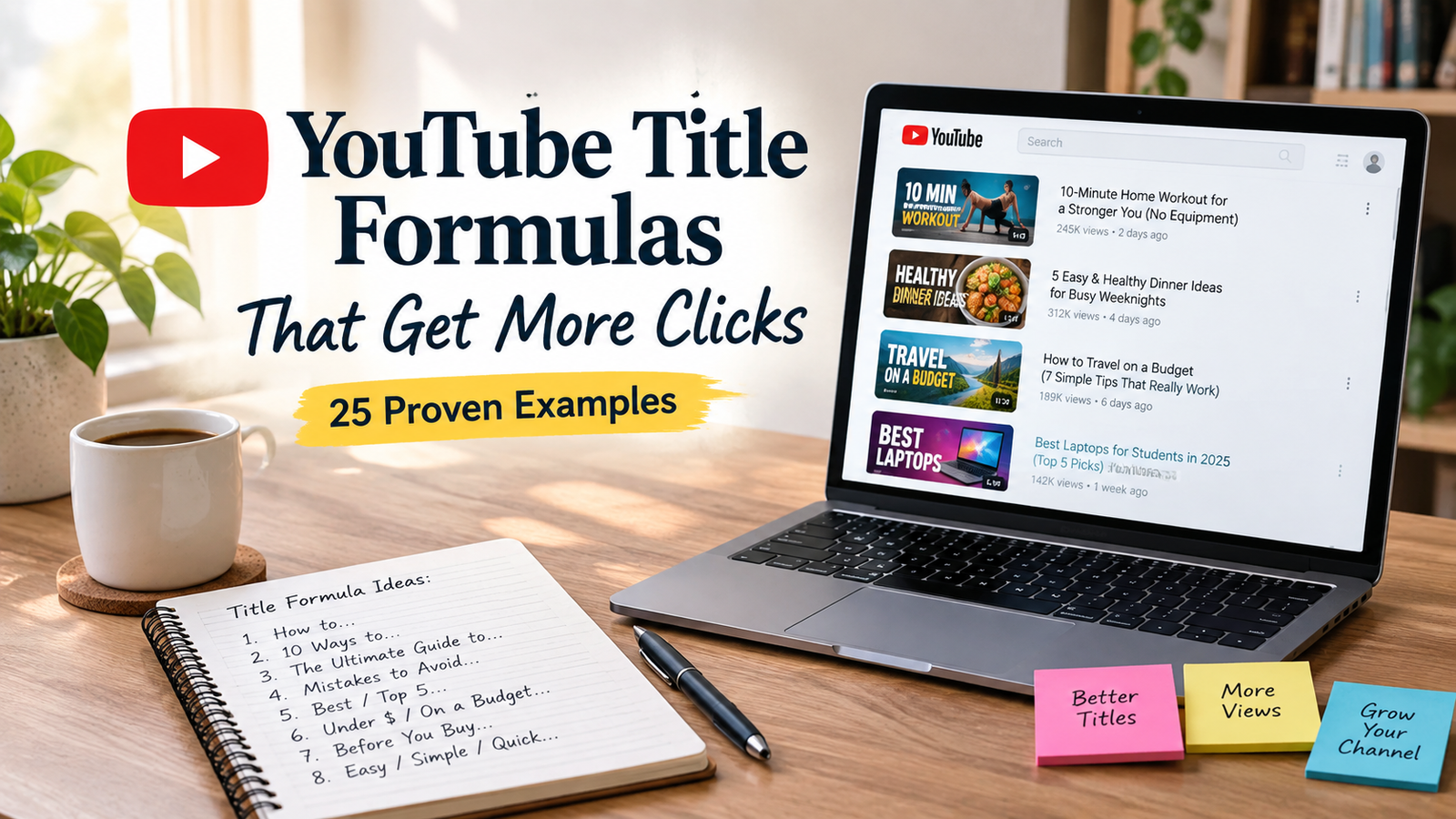
If your YouTube videos are getting impressions but not enough clicks, the problem may not be the video itself. Your title and thumbnail are the first things viewers use to decide whether your video is worth watching.
The good news is that you don’t need to write sensational clickbait titles. You need a clear idea, a specific promise, and a reason for the right viewer to care.
In this guide, you’ll learn 25 YouTube title formulas you can adapt to tutorials, reviews, educational videos, Shorts, business content, lifestyle channels, and more.
Note: The title examples below are proven patterns, not guaranteed click generators. Results depend on your audience, topic, thumbnail, traffic source, and the actual quality of your video.
What Are YouTube Title Formulas?
YouTube title formulas are repeatable structures that help you turn a video idea into a clearer, more compelling title.
Instead of staring at a blank screen and trying to invent a clever headline, you can start with a proven structure and customize it for your audience.
For example:
Basic idea:
“How to edit videos”
Formula:
“How to [Achieve Result] Without [Common Problem]”
Example:
“How to Edit YouTube Videos Faster Without Expensive Software”
The formula gives you a starting point, while the specific benefit makes the title relevant to your viewer.
Why YouTube Titles Matter
Your title works together with your thumbnail to communicate what your video is about and why someone might want to watch it.
YouTube itself recommends accurate, concise titles and notes that viewers may only see part of a title, so putting the most important words near the beginning can be useful. YouTube also distinguishes between searchable titles, which clearly describe what viewers are looking for, and intriguing titles, which create curiosity.
Your title can influence whether someone decides to click, but it isn’t the only factor.
YouTube’s analytics also considers impressions, click-through rate, watch time, audience retention, traffic sources, and other signals.
So the goal isn’t simply to get clicks.
The goal is to get the right people to click and then deliver what the title promised.
25 YouTube Title Formulas That Get More Clicks
Here are 25 flexible formulas you can use for different types of YouTube videos.
1. How to [Achieve Desired Result]
This is one of the simplest and most useful formulas for tutorial-based content.
Formula:
How to [Result]
Examples:
- How to Grow a YouTube Channel From Scratch
- How to Edit YouTube Videos Faster
- How to Create Better Thumbnails
- How to Plan a Month of YouTube Content
Best for: Tutorials, educational videos, beginner guides.
2. How to [Result] Without [Pain Point]
This formula works well when your audience wants a result but wants to avoid something frustrating.
Formula:
How to [Result] Without [Pain Point]
Examples:
- How to Start YouTube Without Showing Your Face
- How to Edit Videos Without Expensive Software
- How to Grow on YouTube Without Posting Every Day
- How to Make Better Videos Without Expensive Gear
The “without” element makes the benefit more specific.
3. [Number] Ways to [Achieve Result]
Numbers immediately tell viewers what they can expect from the video.
Formula:
[Number] Ways to [Result]
Examples:
- 7 Ways to Get More Views on YouTube
- 10 Ways to Improve Your YouTube Videos
- 5 Ways to Make Your Videos More Interesting
- 12 Ways to Get More YouTube Subscribers
Best for: Tips, educational content, growth strategies.
4. [Number] Mistakes [Audience] Should Avoid
People naturally want to know what they might be doing wrong.
Formula:
[Number] Mistakes [Audience] Should Avoid
Examples:
- 10 YouTube Mistakes New Creators Should Avoid
- 7 Thumbnail Mistakes Killing Your Clicks
- 5 Mistakes Small Channels Make on YouTube
- 8 Video Editing Mistakes Beginners Should Avoid
This is particularly useful for beginner-focused channels.
5. I Tried [Thing] for [Time] — Here’s What Happened
Personal experiments can create curiosity while keeping the title specific.
Formula:
I Tried [Thing] for [Time] — Here’s What Happened
Examples:
- I Posted on YouTube Every Day for 30 Days — Here’s What Happened
- I Tried Making Videos With My Phone for a Month
- I Tested 5 YouTube Thumbnail Styles — Here’s What Happened
Only use this formula when you actually performed the experiment.
6. [Thing] vs [Thing]: Which Is Better?
Comparison titles are useful when viewers are choosing between two options.
Formula:
[A] vs [B]: Which Is Better?
Examples:
- CapCut vs Premiere Pro: Which Is Better?
- Shorts vs Long-Form Videos: Which Is Better?
- iPhone vs Camera for YouTube: Which Is Better?
- YouTube Shorts vs TikTok: Which Is Better for Creators?
The key is to make the comparison genuinely useful rather than forcing a dramatic winner.
7. The Beginner’s Guide to [Topic]
This formula clearly signals that the video is designed for newcomers.
Formula:
The Beginner’s Guide to [Topic]
Examples:
- The Beginner’s Guide to YouTube SEO
- The Beginner’s Guide to YouTube Analytics
- The Beginner’s Guide to YouTube Shorts
- The Beginner’s Guide to Creating YouTube Videos
Best for: Educational channels and foundational topics.
8. [Number] Things I Wish I Knew Before [Activity]
This formula combines experience with practical advice.
Formula:
[Number] Things I Wish I Knew Before [Activity]
Examples:
- 10 Things I Wish I Knew Before Starting YouTube
- 7 Things I Wish I Knew Before Buying a Camera
- 5 Things I Wish I Knew Before Starting a Faceless Channel
It works particularly well when you have genuine experience to share.
9. Stop Doing [Thing] If You Want [Result]
This creates a direct connection between a mistake and a desired outcome.
Formula:
Stop Doing [Thing] If You Want [Result]
Examples:
- Stop Doing This If You Want More YouTube Views
- Stop Making These Videos If You Want Channel Growth
- Stop Ignoring This If You Want Better Audience Retention
Use this carefully. The statement should be supported by what you actually explain in the video.
10. Why Your [Thing] Isn’t Working
This title speaks directly to a problem.
Formula:
Why Your [Thing] Isn’t Working
Examples:
- Why Your YouTube Videos Aren’t Getting Views
- Why Your Thumbnails Aren’t Getting Clicks
- Why Your YouTube Channel Isn’t Growing
- Why Your Videos Get Views but No Subscribers
This is especially useful when your audience already recognizes the problem.
11. The [Number]-Step [Result] Method
A step-based title gives viewers a clear process.
Formula:
The [Number]-Step [Result] Method
Examples:
- The 5-Step YouTube Growth Method for Beginners
- The 4-Step Video Planning Method
- The 7-Step YouTube SEO Method
- The 3-Step Thumbnail Method I Use
12. [Number] YouTube Tips for [Specific Audience]
Adding a specific audience can make a broad topic more relevant.
Formula:
[Number] YouTube Tips for [Audience]
Examples:
- 15 YouTube Tips for Beginners
- 10 YouTube Tips for Small Businesses
- 12 YouTube Tips for New Creators
- 8 YouTube Tips for Coaches and Consultants
Specificity often makes a title more useful than simply saying “YouTube Tips.”
13. How I [Achieved Result]
Personal experience can make an otherwise ordinary topic more interesting.
Formula:
How I [Achieved Result]
Examples:
- How I Plan My YouTube Videos
- How I Edit My YouTube Videos
- How I Organize My YouTube Content
- How I Research Video Ideas
Make sure the video genuinely shows your process.
14. [Result] in [Timeframe]: What You Need to Know
This formula adds a clear timeframe without promising that everyone will achieve the same result.
Formula:
[Result] in [Timeframe]: What You Need to Know
Examples:
- Starting a YouTube Channel in 30 Days: What You Need to Know
- Planning a Month of YouTube Content in One Day
- Building Your First YouTube Content Plan in 7 Days
Avoid unrealistic promises such as guaranteed subscribers or views.
15. The Truth About [Topic]
Use this when there is confusion, misinformation, or unrealistic expectations around a topic.
Formula:
The Truth About [Topic]
Examples:
- The Truth About YouTube Shorts
- The Truth About Buying YouTube Views
- The Truth About YouTube SEO
- The Truth About Going Viral on YouTube
The video should actually provide useful clarification rather than simply using “the truth” as clickbait.
16. [Number] YouTube Tools I Actually Use
Tool-based content works well when you have genuine recommendations.
Formula:
[Number] YouTube Tools I Actually Use
Examples:
- 10 YouTube Tools I Actually Use Every Week
- 7 Free Tools Every YouTuber Should Know
- 5 Tools That Make YouTube Content Planning Easier
You can make this even stronger by specifying who the tools are for.
17. Before You Start [Activity], Watch This
This creates curiosity around preparation.
Formula:
Before You Start [Activity], Watch This
Examples:
- Before You Start a YouTube Channel, Watch This
- Before You Buy a Camera for YouTube, Watch This
- Before You Upload Your First Video, Watch This
Use this when the video genuinely covers important preparation.
18. What Nobody Tells You About [Topic]
This works through curiosity and perceived insider knowledge.
Formula:
What Nobody Tells You About [Topic]
Examples:
- What Nobody Tells You About Starting YouTube
- What Nobody Tells You About YouTube Growth
- What Nobody Tells You About Making Videos Consistently
Don’t use it simply to manufacture mystery. The video needs to contain genuinely useful insights.
19. [Number] Ideas for Your Next YouTube Video
This is an easy formula for idea-based content.
Formula:
[Number] [Topic] Ideas for Your Next Video
Examples:
- 25 YouTube Video Ideas for Beginners
- 30 YouTube Video Ideas for Small Businesses
- 20 Faceless YouTube Video Ideas
- 15 YouTube Shorts Ideas You Can Try
20. How to [Result] Step by Step
This makes the learning process explicit.
Formula:
How to [Result] Step by Step
Examples:
- How to Make a YouTube Thumbnail Step by Step
- How to Plan a YouTube Video Step by Step
- How to Start a YouTube Channel Step by Step
- How to Create YouTube Shorts Step by Step
This is particularly suitable for screen-recording tutorials.
21. [Number] Things You Should Know Before [Activity]
This formula combines preparation and curiosity.
Formula:
[Number] Things You Should Know Before [Activity]
Examples:
- 9 Things You Should Know Before Starting YouTube
- 7 Things to Know Before Making YouTube Shorts
- 5 Things to Know Before Buying a YouTube Camera
22. Can You Really [Achieve Result]?
Questions can create curiosity around a common goal.
Formula:
Can You Really [Result]?
Examples:
- Can You Really Grow a YouTube Channel From Zero?
- Can You Really Make YouTube Videos With a Phone?
- Can You Really Grow Without Posting Every Day?
The video should answer the question honestly rather than promising a particular outcome.
23. [Number] YouTube Title Ideas for [Audience]
This formula is particularly relevant to content creators who struggle with titles.
Formula:
[Number] YouTube Title Ideas for [Audience]
Examples:
- 50 YouTube Title Ideas for Beginners
- 30 YouTube Title Ideas for Small Businesses
- 25 YouTube Title Ideas for Fitness Creators
- 40 YouTube Title Ideas for Educational Channels
24. I Tested [Number] [Things] — Here’s the Winner
Testing creates a natural story and gives viewers a reason to see the conclusion.
Formula:
I Tested [Number] [Things] — Here’s the Winner
Examples:
- I Tested 5 YouTube Thumbnail Styles — Here’s the Winner
- I Tested 3 Video Editing Apps — Here’s the Winner
- I Tested 5 Content Planning Tools — Here’s the Winner
Again, only use this formula when the test actually happened.
25. The Complete [Topic] Guide for Beginners
This is a strong evergreen structure for comprehensive educational videos.
Formula:
The Complete [Topic] Guide for Beginners
Examples:
- The Complete YouTube SEO Guide for Beginners
- The Complete YouTube Thumbnail Guide for Beginners
- The Complete YouTube Analytics Guide for Beginners
- The Complete YouTube Content Planning Guide
This formula works best when the video genuinely covers the topic thoroughly.
How to Choose the Right YouTube Title Formula
Not every formula works for every video.
Start by identifying what your viewer is trying to get from the video.
| Video Goal | Useful Formula |
|---|---|
| Teach a process | How to [Result] |
| Solve a problem | Why Your [Thing] Isn’t Working |
| Share mistakes | [Number] Mistakes to Avoid |
| Compare options | [A] vs [B] |
| Share personal experience | How I [Result] |
| Create curiosity | The Truth About [Topic] |
| Give ideas | [Number] Ideas for [Audience] |
| Explain a broad topic | Complete [Topic] Guide |
| Test something | I Tested [Thing] |
| Help beginners | Beginner’s Guide to [Topic] |
The best formula is usually the one that most naturally matches the video’s actual promise.
Searchable vs. Curiosity-Driven YouTube Titles
One of the most important decisions is whether your title should be searchable or curiosity-driven.
Searchable title
A searchable title clearly tells people what the video answers.
Example:
How to Create YouTube Shorts Step by Step
This can work well when people are actively searching for the topic.
Curiosity-driven title
A curiosity-driven title gives viewers a reason to become interested even if they weren’t specifically searching for the topic.
Example:
I Changed One Thing About My Shorts — Here’s What Happened
Neither approach is automatically better.
YouTube itself recommends both searchable and intriguing title approaches depending on the type of content and audience.
How to Write YouTube Titles That Get More Clicks
A formula is only the starting point. Your wording still matters.
1. Lead With the Most Important Idea
Don’t bury the main benefit at the end of the title.
Instead of:
Here Are Some Things I Learned After Making Videos for a Long Time
Try:
10 YouTube Lessons I Wish I Knew Earlier
YouTube recommends being concise and placing important words near the beginning because viewers may not see the entire title.
2. Make the Benefit Clear
Ask yourself:
“What does the viewer get from watching this video?”
If you can’t answer that quickly, your title may need more focus.
3. Be Specific
Compare:
YouTube Tips
with:
10 YouTube Tips for Beginners Who Want More Views
The second title gives the viewer much more information.
4. Match the Title to the Video
Never promise something your video doesn’t deliver.
Misleading titles may encourage an initial click, but they can create a poor viewer experience. YouTube specifically recommends accurate titles and warns against using clickbait simply to increase CTR.
5. Don’t Overuse ALL CAPS
A little emphasis can be useful, but an entire title written in capital letters can feel aggressive.
Keep the wording natural and easy to read.
6. Write the Title and Thumbnail Together
Your title and thumbnail don’t need to repeat the exact same words.
Instead, think of them as two parts of one message.
Title:
I Tried Posting Every Day for 30 Days
Thumbnail concept:
30 DAYS
The title provides context while the thumbnail adds visual emphasis.
YouTube describes the title and thumbnail as important parts of how viewers understand and evaluate a video.
YouTube Title Formula Templates You Can Copy
Here are quick templates you can adapt to your own niche:
- How to [Result]
- How to [Result] Without [Problem]
- [Number] Ways to [Result]
- [Number] Mistakes [Audience] Should Avoid
- I Tried [Thing] for [Time]
- [A] vs [B]: Which Is Better?
- The Beginner’s Guide to [Topic]
- [Number] Things I Wish I Knew Before [Activity]
- Stop Doing [Thing] If You Want [Result]
- Why Your [Thing] Isn’t Working
- The [Number]-Step [Result] Method
- [Number] Tips for [Audience]
- How I [Result]
- [Result] in [Timeframe]: What You Need to Know
- The Truth About [Topic]
- [Number] Tools I Actually Use
- Before You Start [Activity], Watch This
- What Nobody Tells You About [Topic]
- [Number] Ideas for Your Next [Video/Content]
- How to [Result] Step by Step
- [Number] Things to Know Before [Activity]
- Can You Really [Result]?
- [Number] Title Ideas for [Audience]
- I Tested [Number] [Things] — Here’s the Winner
- The Complete [Topic] Guide for Beginners
Common YouTube Title Mistakes to Avoid
Even a strong formula can fail when the execution is weak.
Being too vague
My YouTube Tips
The viewer doesn’t know what they’ll learn.
Making unrealistic promises
This Will Make You Go Viral
There is no reliable title formula that guarantees viral results.
Using unnecessary clickbait
You WON’T BELIEVE What Happened!!!
If the video doesn’t deliver a genuinely interesting payoff, the title becomes misleading.
Making every title identical
Using the same structure for every upload can make your channel feel repetitive.
Experiment with different formats while keeping your topic and audience clear.
Ignoring the thumbnail
A strong title and weak thumbnail can still produce disappointing results.
Think about the title and thumbnail as a package rather than two completely separate tasks.
Changing titles based on tiny data changes
Don’t panic because one video has a slightly different CTR from another.
YouTube notes that CTR varies by audience, content type, and where impressions occur, so comparisons need context.
How to Put These YouTube Title Formulas Into Practice
You don’t need to rewrite every title on your channel today.
Instead, use this simple process:
Step 1: Identify the video’s main promise
What will the viewer learn, solve, compare, or discover?
Step 2: Choose three formulas
Pick three structures that naturally fit the video.
Step 3: Write five variations
Don’t stop after your first title.
Write several versions using different angles.
Step 4: Check the title against the video
Ask:
- Is it accurate?
- Is the benefit obvious?
- Is it specific?
- Would my target viewer understand it?
- Does the thumbnail complement it?
Step 5: Review your analytics
Look at impressions and CTR together rather than treating CTR as an isolated number. YouTube recommends considering traffic source and audience context when interpreting these metrics.
Step 6: Test when appropriate
YouTube currently provides eligible creators with a native option to test up to three title and thumbnail combinations on supported videos, with the test optimized around watch time rather than CTR alone.
That makes testing more useful than simply guessing which title “sounds better.”
Final Checklist for Better YouTube Titles
Before publishing your next video, ask yourself:
- Does the title accurately describe the video?
- Is the main benefit clear?
- Is the most important wording near the beginning?
- Does it target a specific viewer or problem?
- Is there a reason to click?
- Does the thumbnail complement the title?
- Am I avoiding unnecessary clickbait?
- Is the title easy to understand on mobile?
- Does it fit within YouTube’s current 100-character title limit?
- Can I create two or three stronger variations?
A good title doesn’t need to be complicated.
It needs to make the right viewer think, “That’s exactly what I’m looking for.”