Instagram Story & Reel Dimensions: The Complete 2026 Guide
Creating an Instagram Story or Reel that looks great is not just about having a good photo or video. If your dimensions are wrong, Instagram may crop your content, reduce how much of your design viewers can see, or leave important text hidden behind buttons and profile information.
The good news is that you do not need complicated design skills to get the basics right.
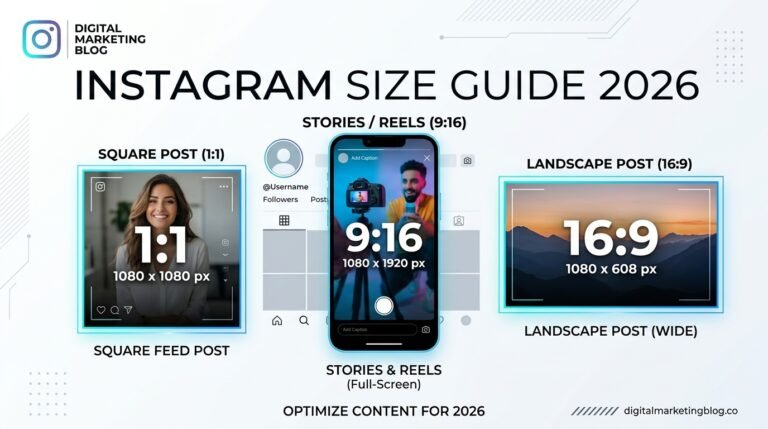
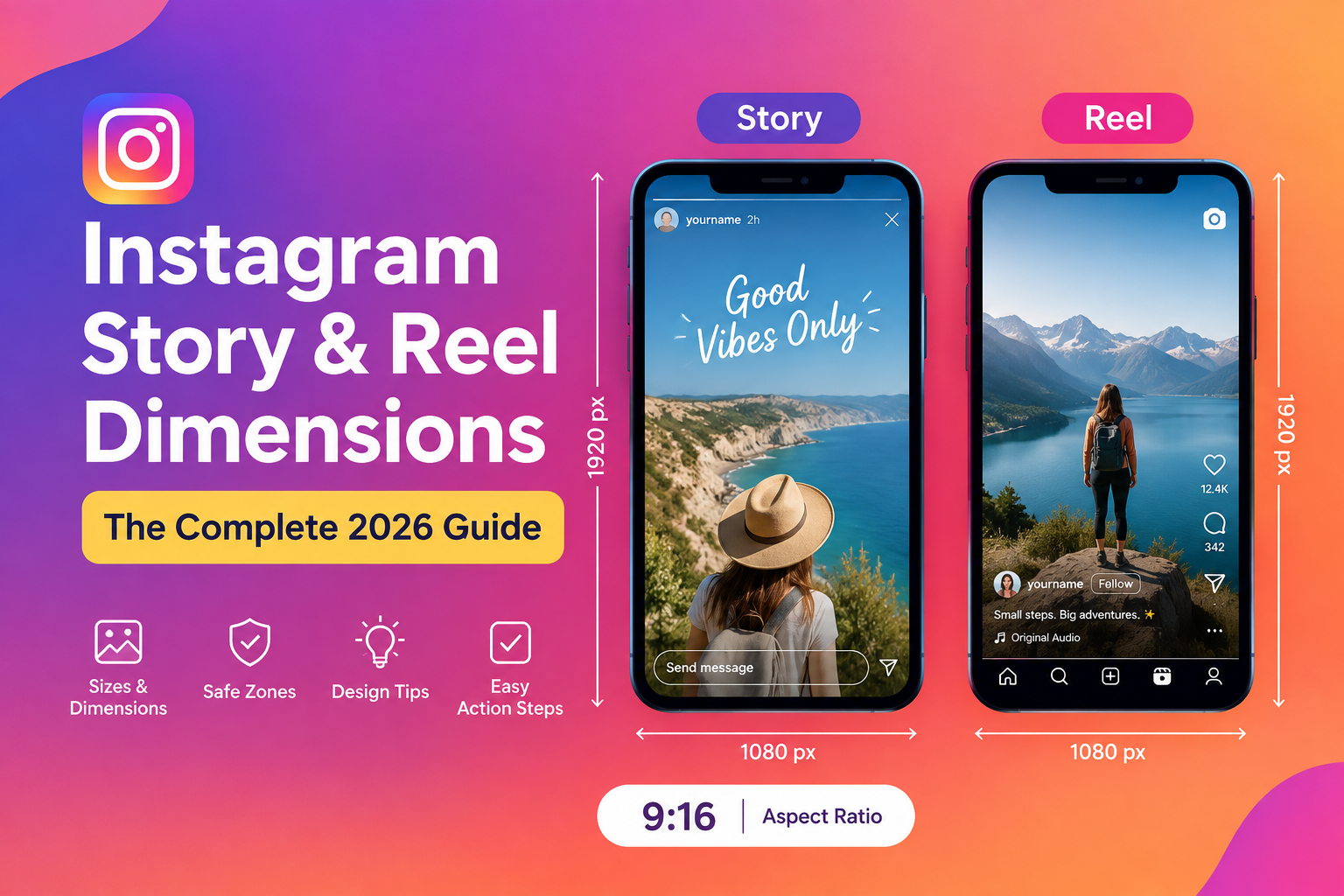
For most Instagram Stories and Reels in 2026, the easiest size to remember is 1080 × 1920 pixels, with a 9:16 aspect ratio. This vertical format fills most of a phone screen and gives you plenty of space for videos, photos, text, and calls to action.
In this guide, you will learn the recommended Instagram Story and Reel dimensions, the best aspect ratio, safe areas, file considerations, common mistakes, and practical tips for creating content that looks clean on different phones.
Instagram Story and Reel Dimensions at a Glance
If you only want the quick answer, use this:
| Instagram Format | Recommended Dimensions | Aspect Ratio | Best Use |
|---|---|---|---|
| Instagram Story | 1080 × 1920 px | 9:16 | Photos, videos, announcements |
| Instagram Reel | 1080 × 1920 px | 9:16 | Short-form vertical video |
| Full-screen vertical content | 1080 × 1920 px | 9:16 | Mobile-first content |
The 1080 × 1920 pixel, 9:16 format is the simplest choice when creating content specifically for Instagram Stories and Reels.
You can create your design at a higher resolution when your editing workflow requires it, but 1080 × 1920 is a practical working size for most creators and small businesses.
What Is the Best Instagram Story Size in 2026?
The recommended Instagram Story size is 1080 × 1920 pixels.
That gives you a vertical 9:16 canvas designed for full-screen mobile viewing.
A simple way to remember it is:
Instagram Story size: 1080 × 1920 pixels
Instagram Story aspect ratio: 9:16
This works well for:
- Photo Stories
- Video Stories
- Product announcements
- Behind-the-scenes content
- Polls and questions
- Tutorials
- Promotions
- Event announcements
- Educational content
If you are creating a Story in Canva, Adobe Express, Photoshop, or another design tool, start with a custom canvas of 1080 × 1920 pixels.
What Is the Best Instagram Reel Size in 2026?
The recommended Instagram Reel size is also 1080 × 1920 pixels with a 9:16 aspect ratio.
Because Reels are designed for vertical, mobile-first viewing, a 9:16 video generally makes better use of the available screen space than a landscape video.
For example, if you are recording a recipe tutorial, fitness demonstration, product video, or talking-head Reel, recording vertically at a suitable resolution gives you a better starting point than trying to fit a landscape video into a vertical frame.
Instagram Reel Dimensions
Use these basic specifications when preparing your Reel:
- Width: 1080 pixels
- Height: 1920 pixels
- Aspect ratio: 9:16
- Orientation: Vertical
The exact technical behavior of uploads can vary depending on Instagram’s current processing and the source file, so always preview your final video before publishing.
Why 9:16 Is Important for Instagram Stories and Reels
The 9:16 ratio matches the tall, vertical shape of modern smartphone screens.
When your content is created in this format, you can use the available screen space more effectively.
Imagine filming a product demonstration in a wide landscape format. When that same video is placed inside a vertical Instagram format, important parts of the original frame may need to be cropped or surrounded by unused space.
Starting with 9:16 avoids much of that problem.
It also gives you more room to position:
- Headlines
- Subtitles
- Product information
- Calls to action
- Faces
- Demonstrations
- Visual hooks
Instagram Story Safe Zone: Where Should You Put Text?
Getting the dimensions right is only half the job.
Instagram Stories contain interface elements such as your profile information, navigation controls, replies, and other interactive elements. If you place important text too close to the edges, parts of your message may become difficult to see.
That is why you should think about a safe area when designing Stories.
Keep important elements such as:
- Headlines
- Prices
- Discount codes
- Website addresses
- Product names
- Calls to action
away from the extreme top and bottom edges.
You do not need to make the entire center of your design empty. Instead, think of the central portion of your Story as your main working area.
Example
Suppose you create a Story promoting a new product.
Instead of putting:
20% OFF TODAY
right at the bottom edge, move it higher into the central area.
This makes the message easier to see and gives Instagram’s interface less chance of covering it.
Instagram Reel Safe Zone: What Should You Avoid?
Reels have a similar issue.
Your video can technically fill the entire 1080 × 1920 canvas, but important information placed near the edges may compete with Instagram’s interface.
This matters especially when you add text directly to the video.
Avoid placing your most important message:
- Directly against the top edge
- Directly against the bottom edge
- Too close to the sides
- Behind areas where Instagram’s interface may appear
Keep your main hook and important captions toward the central portion of the frame.
This is especially useful for:
- Talking-head videos
- Tutorials
- Product demonstrations
- Educational Reels
- List-style videos
- Promotional videos
Instagram Story vs Reel Dimensions
One of the easiest things about Instagram’s current vertical content formats is that you can use the same basic canvas for both.
| Feature | Instagram Story | Instagram Reel |
|---|---|---|
| Recommended size | 1080 × 1920 px | 1080 × 1920 px |
| Aspect ratio | 9:16 | 9:16 |
| Orientation | Vertical | Vertical |
| Main purpose | Temporary updates and interactive content | Short-form video and discovery |
| Best design approach | Keep key content within safe areas | Keep important visual and text elements away from interface areas |
This means you can often create one vertical master design and adapt it for different Instagram placements.
However, do not assume that every piece of content should be copied exactly from Stories to Reels.
The format may be the same, but the viewer’s reason for watching can be different.
What Happens If Your Instagram Dimensions Are Wrong?
Using the wrong dimensions does not necessarily mean Instagram will reject your content.
The bigger problem is how your content looks after Instagram processes it.
You may notice:
- Cropped images
- Cut-off text
- Unwanted empty space
- Small-looking videos
- Important objects outside the frame
- Text hidden by interface elements
- Poor visual balance
For example, a horizontal image can still be used in some Instagram contexts, but it will not naturally fill a 9:16 Story or Reel screen.
If you want a full-screen vertical appearance, start with the correct dimensions rather than trying to fix the crop afterward.
Best Dimensions for Instagram Story Photos
For a Story photo, 1080 × 1920 pixels is a strong starting point.
You can use this format for:
- Food photography
- Travel photos
- Product photography
- Quotes
- Announcements
- Educational graphics
- Before-and-after content
- Behind-the-scenes photos
If the original photo is horizontal, consider cropping it intentionally rather than letting the platform make the decision for you.
Before publishing, look at the complete Story preview.
Ask yourself:
Can I clearly see the subject?
Is the text readable?
Does anything important look cropped?
Is the design balanced?
If the answer is yes, you are much more likely to have a clean-looking Story.
Best Dimensions for Instagram Reel Videos
For Reels, create your video in a vertical 9:16 format, ideally at 1080 × 1920 pixels.
This is particularly important if you edit your videos outside Instagram.
For example, if you use CapCut, Premiere Pro, Final Cut Pro, DaVinci Resolve, or another video editor, set your project to a vertical 9:16 canvas before editing.
That lets you frame your subject properly from the beginning.
A Simple Reel Setup
For a beginner, this workflow is enough:
- Open your video editor.
- Create a vertical 9:16 project.
- Set the canvas to 1080 × 1920 pixels.
- Import your footage.
- Keep important subjects away from the extreme edges.
- Add readable text and captions.
- Watch the entire video before exporting.
- Preview it on your phone before publishing.
You do not need an expensive camera to create useful Reels.
A modern smartphone can be more than enough when the lighting, framing, audio, and message are good.
How to Design Instagram Stories Without Making Them Look Crowded
Correct dimensions will not automatically make a Story look good.
The design itself still matters.
One common mistake is trying to fit too much information into one frame.
Instead, give each Story a clear purpose.
For example:
Story 1: Introduce the problem.
Story 2: Explain the solution.
Story 3: Show an example.
Story 4: Add a simple call to action.
This is usually easier to follow than putting four paragraphs of text onto one screen.
Use Large, Readable Text
Your Story may look perfect on a desktop editing screen but become difficult to read on a small phone.
Use enough contrast between your text and background.
Keep sentences short.
Instead of:
“Here are some of the most important things you should remember when creating your Instagram content this week”
Try:
3 Instagram tips to try this week
The second version is easier to understand quickly.
How to Keep Reel Text Easy to Read
Text can make Reels much easier to follow, especially when viewers watch without sound.
But too much text can make your video feel overwhelming.
Try using one main idea per screen.
For example:
Hook
“Your Reels look blurry for a reason.”
Then:
Tip
“Start with a vertical 9:16 video.”
Then:
Action
“Export and preview before posting.”
This gives viewers enough information without turning the Reel into a wall of text.
Should You Use 1080 × 1920 for Both Stories and Reels?
Yes, for most creators, using 1080 × 1920 pixels for both is the simplest approach.
It reduces the amount of resizing you need to do.
You can create a vertical master file and then adapt the content depending on the purpose.
However, remember that Stories and Reels are different content experiences.
A Story might be more personal, interactive, or temporary.
A Reel may be designed to attract people who do not already follow you.
So the dimensions can be the same while the content strategy is completely different.
Instagram Story and Reel File Tips
Dimensions are important, but the file itself also matters.
For images, use a common web-friendly format such as JPEG or PNG depending on the type of graphic you are creating.
For videos, use a widely supported format such as MP4 when exporting from your editing software.
Avoid repeatedly downloading, editing, and re-uploading the same file because repeated processing can affect visual quality.
A better workflow is to keep your original high-quality file and export a clean final version for Instagram.
How to Create Instagram Story and Reel Templates
If you regularly create content, templates can save a huge amount of time.
Create a basic 1080 × 1920 template containing:
- Your preferred font
- Brand colors
- Logo placement if appropriate
- Text styles
- Safe working area
- Common call-to-action positions
Then duplicate the template whenever you create new content.
For example, a small business could have separate templates for:
Product announcements
Customer reviews
Educational tips
Limited-time offers
Behind-the-scenes content
This creates consistency without requiring you to design every post from scratch.
Best Tools for Creating Instagram Stories and Reels
You do not need professional design software to get started.
Beginner-friendly options include:
- Canva
- Adobe Express
- CapCut
- Instagram’s built-in editing tools
- Mobile video editing apps
The most important thing is not which tool you use.
The important thing is that your final project is created in the correct vertical format and that your text and important visual elements remain easy to see.
Common Instagram Story and Reel Dimension Mistakes
Using a landscape video
A horizontal video can require significant cropping when adapted to a vertical format.
If your main goal is Stories or Reels, recording vertically is usually easier.
Putting text too close to the edges
Important information can become difficult to see when it overlaps with Instagram’s interface.
Keep important text comfortably inside the main viewing area.
Making text too small
Remember that most people are viewing your content on a phone.
If you need to zoom in to read your own Story, your audience probably will too.
Adding too much information
A Story or Reel should not require viewers to read a full article.
Keep the message focused and break complex information into multiple frames when necessary.
Designing only for your computer screen
Always check the final result on a smartphone.
A design that looks balanced on a large monitor can look completely different on a small screen.
Stretching content to fit
Do not distort photos or videos just to make them fill the canvas.
Crop intentionally instead.
How to Make Instagram Stories and Reels Look Better
Once your dimensions are correct, focus on the viewer’s experience.
Start with a clear visual or message.
Use simple typography.
Leave enough breathing room around important elements.
Keep your colors consistent.
Make sure your subject is easy to recognize.
And most importantly, make the content useful.
A perfectly sized Reel with a weak idea will not automatically perform well.
A simple, useful Reel with strong framing and a clear message can be much more effective.
How to Put This Into Practice
If you are creating Instagram content today, follow this simple process:
- Open your design or video editing tool.
- Create a 1080 × 1920 pixel canvas.
- Set the aspect ratio to 9:16.
- Add your photo or video.
- Position important content away from the extreme edges.
- Add a short, readable headline or hook.
- Check the design for unnecessary clutter.
- Export your final file.
- Preview it on your phone.
- Make adjustments before publishing if anything is cropped or difficult to read.
This process only takes a few extra minutes, but it can prevent many common formatting problems.
Frequently Asked Questions
Final Thoughts
Getting Instagram Story and Reel dimensions right is one of those small details that can make your content look much more professional.
For most vertical Instagram content, remember the simple formula: 1080 × 1920 pixels and 9:16 aspect ratio.
From there, focus on what matters just as much: clear messaging, readable text, good framing, useful content, and a design that feels natural on a phone.
Do not obsess over creating a perfect template for every post.
Create a reliable format, test your content, check how it looks after uploading, and use your own audience data to improve over time.