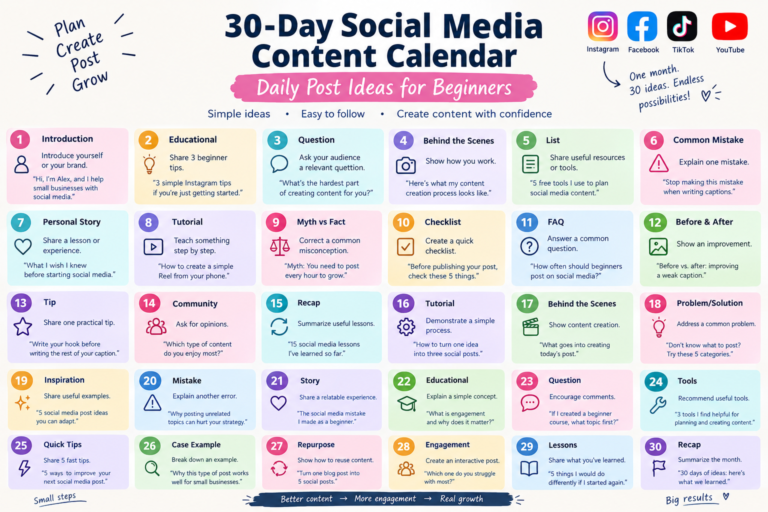
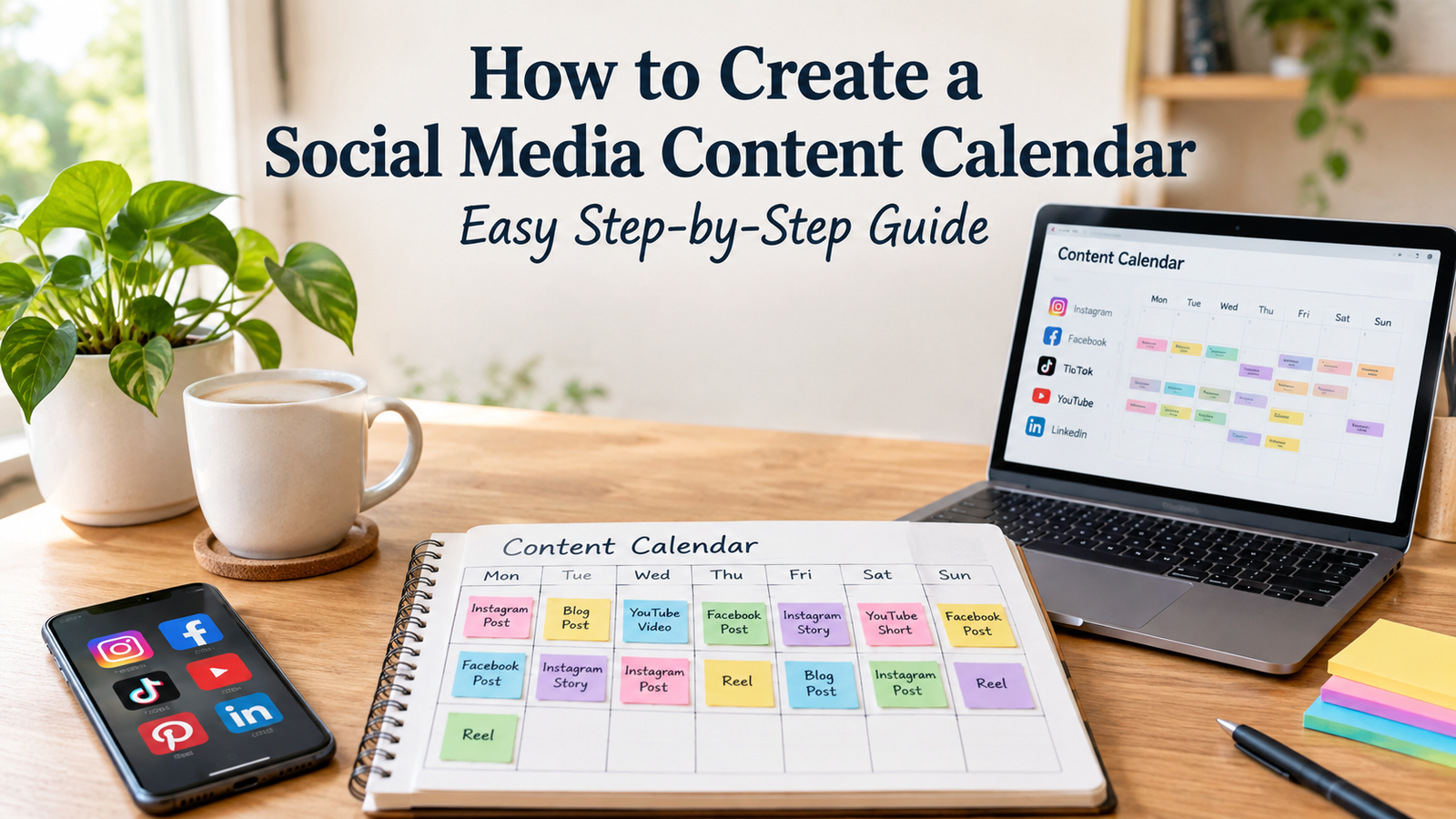
How to Create a Social Media Content Calendar: Easy Step-by-Step Guide
Posting on Instagram can feel surprisingly difficult when you have to decide what to publish every single day.
One day you have plenty of ideas, and the next day you are staring at your phone wondering, “What should I post today?”
That is exactly where a social media content calendar can help. Instead of creating content at the last minute, you can plan your Instagram posts, Reels, Stories, captions, and other content ahead of time.
In this guide, you’ll learn how to create a social media content calendar from scratch, even if you are completely new to content planning.
What Is a Social Media Content Calendar?
A social media content calendar is a simple planning system that shows what you will post, where you will post it, and when you plan to publish it.
Your calendar can be as simple as a spreadsheet or notebook. You do not need expensive software to get started.
For Instagram, your calendar might include:
- Instagram posts
- Reels
- Stories
- Carousel posts
- Educational content
- Promotional posts
- Behind-the-scenes content
- User-generated content
- Seasonal content
- Engagement posts
The goal is not to fill every day with content.
The goal is to create a realistic system that helps you publish consistently without constantly wondering what to post next.
Why Do You Need a Social Media Content Calendar?
Without a plan, social media content can quickly become random.
You may post three times one week, disappear for several days, and then rush to create something because you feel like you should post.
A content calendar gives you a clearer direction.
1. It Saves Time
Planning several pieces of content together is usually easier than starting from zero every day.
You can research ideas, create visuals, write captions, and organize your publishing schedule in batches.
2. It Helps You Post Consistently
Consistency becomes easier when you already know what is coming next.
You don’t have to post every day. A schedule that you can realistically maintain is more useful than an ambitious schedule you abandon after two weeks.
3. It Gives Your Content More Variety
A calendar makes it easier to notice when you are posting the same type of content repeatedly.
For example, you might balance:
- Educational posts
- Helpful tips
- Reels
- Stories
- Questions
- Product or service promotions
- Personal or behind-the-scenes content
4. It Makes Content Creation Less Stressful
Instead of thinking about ideas, writing captions, creating graphics, and publishing everything at the same time, you can separate those tasks.
That can make social media feel much more manageable.
How to Create a Social Media Content Calendar Step by Step
Creating a content calendar does not have to be complicated.
Follow these steps to build one that fits your Instagram strategy.
Step 1: Define Your Instagram Goals
Before choosing what to post, decide what you want your Instagram content to accomplish.
Your goal might be to:
- Increase brand awareness
- Educate your audience
- Generate leads
- Promote products or services
- Build a community
- Increase website traffic
- Showcase your work
- Grow your personal brand
- Increase meaningful engagement
Your goal affects the type of content you should create.
For example, a small business may use Instagram to introduce products, answer customer questions, and build trust. A creator may focus more heavily on educational content, entertainment, and community engagement.
You can have multiple goals, but choose one or two main priorities for your calendar.
Step 2: Understand Your Target Audience
A good content calendar starts with the people you want to reach.
Think about the questions, problems, interests, and goals of your audience.
Ask yourself:
- Who am I creating content for?
- What problems do they have?
- What questions do they frequently ask?
- What type of content do they find useful?
- What would make them save or share a post?
- What topics are relevant to my niche?
For example, if you run a fitness account for beginners, your calendar might include beginner workout tips, simple exercise explanations, realistic meal ideas, and common mistakes.
If you run a small bakery, your content could include product photos, baking videos, customer favorites, behind-the-scenes content, and ordering information.
Step 3: Choose Your Main Content Pillars
Content pillars are the main categories or themes you regularly post about.
They help prevent your calendar from becoming a random collection of unrelated posts.
For example, an Instagram marketing account could use these content pillars:
| Content Pillar | Example Topics |
|---|---|
| Education | Instagram tips, content planning, captions |
| Tips | Quick growth and engagement tips |
| Inspiration | Creator success lessons |
| Behind the Scenes | Content creation process |
| Promotion | Services, products, offers |
You don’t need ten content pillars.
Three to five strong categories are often enough for a beginner.
Step 4: Choose Your Instagram Content Formats
Next, decide which Instagram formats make sense for your audience and goals.
Common formats include:
- Reels
- Carousel posts
- Single-image posts
- Stories
- Live content
You don’t have to use every format.
Choose formats that match your strengths and the type of information you want to share.
For example, a tutorial might work well as a Reel, while a list of detailed tips could be easier to consume as a carousel.
Stories can be useful for quick updates, questions, polls, behind-the-scenes moments, and community interaction.
Step 5: Brainstorm Content Ideas
Now create a list of potential topics.
Don’t try to come up with every idea on the same day.
Start by looking at the questions your audience asks most often.
You can also brainstorm ideas around:
- Common mistakes
- Beginner questions
- How-to tutorials
- Myths
- Frequently asked questions
- Step-by-step guides
- Product demonstrations
- Customer problems
- Industry trends
- Behind-the-scenes content
- Personal experiences
- Before-and-after examples
- Checklists
- Tips and shortcuts
For example, an Instagram content creator could turn one topic into several posts:
Topic: Instagram captions
- 10 caption-writing tips
- Common caption mistakes
- 20 caption hooks
- Caption ideas for small businesses
- How to write a call to action
- Short vs. long Instagram captions
One useful topic can become an entire week of content.
Step 6: Decide How Often You Can Realistically Post
This is where many beginners make a mistake.
They create a schedule that looks impressive but is difficult to maintain.
Instead, consider your available time.
If you can comfortably create three quality Instagram posts per week, start there.
Your schedule might look like:
| Day | Content |
|---|---|
| Monday | Educational carousel |
| Wednesday | Reel |
| Friday | Helpful or entertaining post |
| Tuesday | Stories |
| Thursday | Stories |
| Saturday | Community engagement |
| Sunday | Planning or light Stories |
This is only an example.
Your ideal schedule depends on your audience, resources, content type, and goals.
Step 7: Create Your Content Calendar
Now put your ideas into an actual calendar.
You can use:
- Google Sheets
- Excel
- A calendar app
- A notebook
- Project-management software
- A social media scheduling tool
A simple content calendar can include these columns:
| Date | Platform | Format | Topic | Caption | CTA | Status |
|---|---|---|---|---|---|---|
| Monday | Carousel | 5 Content Planning Tips | Drafted | Save this post | Ready | |
| Tuesday | Stories | Audience Question | Draft | Reply | Planned | |
| Wednesday | Reel | Content Calendar Mistakes | Drafted | Share | Ready | |
| Friday | Carousel | Weekly Planning Checklist | Not started | Save for later | Idea |
You can add more columns if they are genuinely useful.
For example, you could track the content owner, visual requirements, hashtags, links, or performance results.
Step 8: Write Your Captions in Advance
Once your content ideas are scheduled, start preparing captions.
A simple Instagram caption structure is:
Hook → Value → Call to action
For example:
Hook:
“Posting consistently doesn’t mean posting every day.”
Value:
“Choose a schedule you can maintain. Three useful posts every week can be more realistic than trying to publish daily and burning out.”
CTA:
“What is your biggest challenge with staying consistent?”
You can adjust this structure depending on the type of post.
Avoid writing captions just for the sake of adding words. Make sure the caption gives the reader a reason to keep reading, think, respond, save, or take another relevant action.
Step 9: Plan Your Visuals
Your calendar should also tell you what visual each post needs.
For example:
| Content | Visual |
|---|---|
| Instagram tips | Carousel |
| Tutorial | Reel |
| Customer review | Branded graphic or photo |
| Behind the scenes | Casual photo or video |
| Quick tip | Single-image post |
| FAQ | Carousel |
Planning visuals in advance can prevent last-minute design problems.
It also makes batch creation much easier.
Step 10: Add Calls to Action
A call to action, or CTA, tells your audience what they can do next.
Your CTA should match the purpose of the post.
Examples include:
- Save this for later.
- Share this with another creator.
- Tell me your experience.
- Which tip would you try first?
- Comment with your question.
- Send this to a small-business owner.
- Check the link in your bio.
- Follow for more practical Instagram tips.
You don’t need to add an aggressive CTA to every post.
Sometimes the best action is simply encouraging a genuine conversation.
Step 11: Schedule or Organize Your Content
Once your content is created, organize it so publishing becomes easier.
Depending on your workflow, you can schedule posts in advance or keep finished content in clearly labeled folders.
For example:
Instagram Content
- September Week 1
- September Week 2
- September Week 3
- September Week 4
Inside each folder, you could organize:
- Images
- Reels
- Captions
- Content notes
A simple organization system can save a surprising amount of time.
Step 12: Review Your Instagram Analytics
A content calendar should not stay unchanged forever.
After publishing content, review how it performs using the analytics available to your account.
Look for patterns such as:
- Which topics get more attention?
- Which posts receive more saves?
- Which posts generate conversations?
- Which Reels get more views?
- Which content drives profile activity?
- Which topics seem to interest your audience less?
Don’t judge your entire strategy from one post.
Look for patterns over time and use those observations to improve your next calendar.
A Simple 7-Day Instagram Content Calendar Example
If you are starting from scratch, here’s a simple example you can adapt.
| Day | Content Type | Content Idea |
|---|---|---|
| Monday | Carousel | 5 Tips Your Audience Can Use Today |
| Tuesday | Stories | Poll or audience question |
| Wednesday | Reel | Quick how-to tutorial |
| Thursday | Stories | Behind-the-scenes content |
| Friday | Carousel | Common Mistakes to Avoid |
| Saturday | Reel | Quick tip or practical example |
| Sunday | Stories | Weekly recap and question |
You don’t have to copy this schedule exactly.
The purpose is to show how different content types can work together throughout the week.
A Simple Monthly Social Media Content Calendar
If you prefer planning a month at a time, start with broad themes.
For example:
| Week | Main Theme | Content Ideas |
|---|---|---|
| Week 1 | Education | Beginner tips, tutorial, FAQ |
| Week 2 | Engagement | Questions, polls, community posts |
| Week 3 | Trust | Behind the scenes, experience, testimonials |
| Week 4 | Promotion | Product/service benefits, FAQs, offer |
This gives your month some structure without forcing you to plan every post months in advance.
How to Repurpose Content for Instagram
One of the easiest ways to maintain a content calendar is to repurpose useful ideas.
Suppose you create a detailed post called “How to Create Better Instagram Captions.”
You could turn that one topic into:
- A carousel with five caption tips
- A Reel explaining one tip
- A Story asking followers about their biggest caption problem
- A short list of caption hooks
- A Q&A based on common caption questions
- A follow-up post covering caption mistakes
Repurposing does not mean copying the exact same post repeatedly.
Instead, you take one useful idea and present it in different formats or from different angles.
How to Create a Content Calendar When You Have No Ideas
If you are stuck, don’t immediately search for random trending topics.
Start with your audience.
Look through:
- Frequently asked questions
- Comments
- Direct messages
- Customer questions
- Previous successful posts
- Common mistakes in your niche
- Beginner problems
- Topics you regularly explain
You can also create content around the five basic question types:
What?
What is Instagram SEO?
Why?
Why does content consistency matter?
How?
How do you plan a week of Instagram content?
When?
When should you review your content performance?
Which?
Which content format is best for a particular goal?
These questions can generate many practical content ideas.
How Far Ahead Should You Plan Your Content?
There is no single perfect planning period.
For beginners, planning one to four weeks ahead can be a comfortable starting point.
A monthly plan gives you enough structure while leaving room to respond to current events, trends, audience questions, and unexpected opportunities.
You don’t need to plan every detail months in advance.
Keep some space in your calendar for spontaneous or timely content.
Should You Post Every Day on Instagram?
No.
Posting every day is not automatically necessary for every account.
Your ideal schedule depends on your audience, resources, content quality, goals, and ability to stay consistent.
A smaller number of useful posts can be more manageable than creating daily content that does not provide much value.
Focus on building a sustainable publishing routine rather than chasing a specific number of posts.
How to Find the Best Time to Post
There is no universal Instagram posting time that guarantees better results for every account.
Your audience may live in different countries, follow different routines, and use Instagram at different times.
Instead of blindly copying a “best time to post” chart, use your account’s available insights and test different posting windows.
Track your results over several weeks and look for patterns.
Your own audience data is generally more useful for your account than a generic posting-time recommendation.
Common Social Media Content Calendar Mistakes
Creating an Unrealistic Schedule
Planning seven posts a week does not help if you can only realistically create three.
Choose a schedule you can maintain.
Posting Only Promotional Content
If every post is asking people to buy something, your content can quickly become repetitive.
Balance promotional content with education, entertainment, conversation, and useful information.
Ignoring Your Audience
A calendar should be built around your audience’s interests and problems.
Don’t choose topics simply because they are popular if they have little connection to your followers.
Copying Competitors
Competitor research can provide ideas, but your content should still have its own perspective.
Ask how you can make the information more useful, specific, practical, or relevant to your audience.
Forgetting Stories
Stories can be an easy way to maintain regular interaction without requiring every piece of content to be a highly produced feed post.
Use them for questions, polls, updates, behind-the-scenes content, and quick conversations when appropriate.
Never Reviewing Performance
A calendar is a planning tool, not a permanent rulebook.
Review your content and adjust your future topics based on what you learn.
A Simple Content Calendar Template You Can Copy
You can start with this basic structure:
| Date | Format | Topic | Caption | CTA | Visual | Status |
|---|---|---|---|---|---|---|
| Idea | ||||||
| Draft | ||||||
| Ready | ||||||
| Published |
For a more detailed system, add columns for:
- Content pillar
- Target audience
- Keywords
- Hashtags
- Content goal
- Performance
- Notes for repurposing
Don’t add columns just because you can.
Your calendar should make content planning easier, not turn into another complicated project.
How to Put Your Content Calendar Into Practice
You can create your first Instagram content calendar today with this simple process:
- Choose one main Instagram goal.
- Identify three to five content pillars.
- Brainstorm 15–20 content ideas.
- Choose the formats that fit each idea.
- Select a realistic posting frequency.
- Add your ideas to a weekly or monthly calendar.
- Write captions and prepare visuals.
- Schedule or organize your finished content.
- Publish consistently.
- Review your analytics and improve the next calendar.
Start small.
You can always make your system more detailed once you know what works for you.