Instagram Hashtag Generator: Find the Best Hashtags for Your Niche
Finding the right hashtags for Instagram posts can be challenging, especially when you are trying to reach people who are genuinely interested in your content. Whether you are a content creator, influencer, small business owner, social media manager, or digital marketer, choosing relevant hashtags is an important part of organizing and optimizing your Instagram content.
An Instagram hashtag generator makes this process easier by helping you discover hashtag ideas related to your niche, keywords, and post topics. Instead of spending time searching for hashtags individually, you can enter a topic or keyword and explore suggestions that match your content.
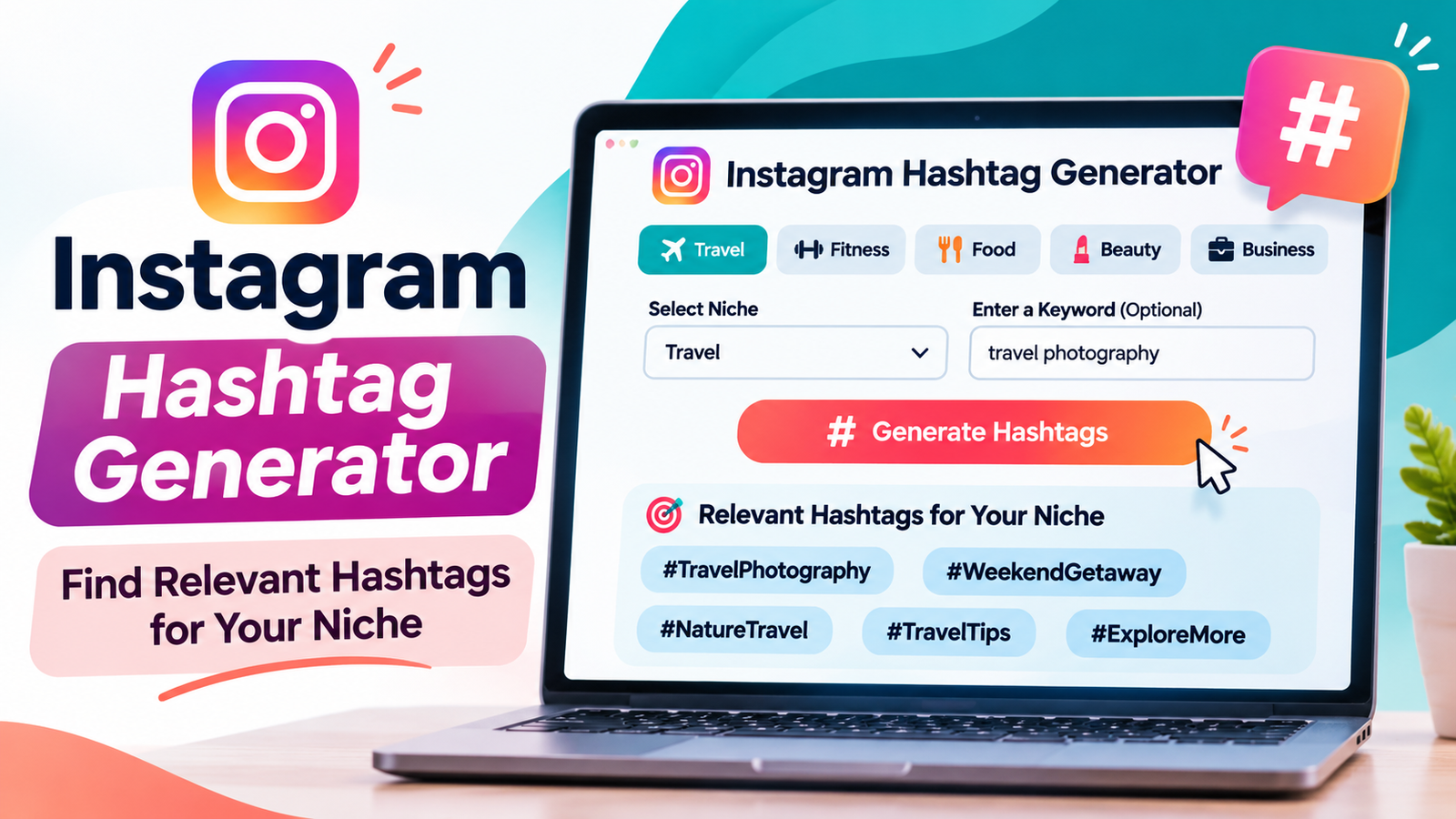
For example, if you publish travel photography, you can enter a keyword such as “travel photography” and explore related hashtags like #TravelPhotography, #TravelInspiration, or #NatureTravel.
Similarly, a fitness creator can search for fitness-related hashtags, while a food blogger can discover hashtags related to recipes, cooking, and food photography.
Using relevant hashtags can help categorize your content and make it easier for people to discover posts about specific subjects. However, hashtags are not a guaranteed way to increase reach, followers, or engagement. Instagram now emphasizes using a small number of specific hashtags instead of filling captions with generic tags.
In this guide, you will learn how an Instagram hashtag generator works, how to find relevant hashtags for different niches, how many hashtags you should use, and how to choose hashtags that accurately describe your content.
You will also discover practical hashtag examples for different industries, common mistakes to avoid, and useful strategies for improving your Instagram content.
What Is an Instagram Hashtag Generator?
An Instagram hashtag generator is an online tool that suggests hashtags based on a keyword, topic, industry, or content niche.
It helps users discover relevant hashtags without manually researching every possible variation.
For example, imagine you run a food photography account and want to publish a photograph of a homemade pasta recipe.
You can enter keywords such as:
Food photography
Homemade pasta
Italian food
Easy recipes
Cooking inspiration
An Instagram hashtag generator can then provide related hashtag ideas that you can review and select for your post.
Depending on the features of the tool, it may help you:
Generate hashtag ideas based on keywords.
Find hashtags for different industries.
Discover niche-specific hashtags.
Explore related content topics.
Create hashtag combinations.
Copy selected hashtags for your captions.
Organize hashtags for different content categories.
The purpose of an Instagram hashtag generator is to simplify hashtag research and help you choose tags that match the subject of your content.
It is important to understand that a hashtag generator does not automatically guarantee that a hashtag is trending, popular, or effective. Unless the tool connects to reliable, current data, its suggestions should be treated as ideas for research rather than verified trend rankings.
How to Use Our Free Instagram Hashtag Generator
Using a free Instagram hashtag generator is simple. You do not need advanced marketing experience or technical knowledge to find hashtag ideas for your content.
Follow these steps to get started.
Step 1: Identify Your Content Niche
Before generating hashtags, identify the subject of your Instagram post.
Think about what your content is actually discussing.
For example:
Travel photography
Fitness workouts
Healthy recipes
Fashion inspiration
Beauty products
Digital marketing
Home decoration
Business tips
Choosing a specific topic makes it easier to find relevant hashtags.
Instead of entering a broad keyword such as “lifestyle,” consider something more descriptive, such as “minimalist home decor” or “healthy lifestyle tips.”
Step 2: Enter Your Main Keyword
Open the Instagram hashtag generator and enter your main keyword into the search field.
For example, if you publish a fitness post, you could enter:
“Home workout”
Your keyword tells the generator what type of content you want to explore.
You can also experiment with different keyword variations.
For example:
Home workout ideas
Beginner fitness
Strength training
Workout motivation
Fitness journey
Different keywords may produce different hashtag suggestions.
Step 3: Select a Relevant Category
Some hashtag generators provide niche or category filters.
These filters can make hashtag discovery more organized.
For example, you might find categories such as:
| Category | Example Topics |
| Travel | Destinations, tourism, photography |
| Fitness | Gym workouts, health, exercise |
| Food | Recipes, cooking, restaurants |
| Fashion | Outfits, clothing, styling |
| Beauty | Skincare, makeup, beauty tips |
| Business | Entrepreneurship, marketing, startups |
| Lifestyle | Daily routines, personal development |
| Photography | Portraits, landscapes, creative photography |
Choose the category that best matches your post.
If your generator does not include category filters, simply enter a more specific keyword.
Step 4: Generate Hashtag Ideas
After entering your keyword, select the Generate Hashtags option.
The tool should display hashtag suggestions related to the topic you entered.
For example, entering “Travel Photography” could produce suggestions such as:
#TravelPhotography
#TravelInspiration
#NatureTravel
#TravelTips
#ExploreMore
These are example suggestions, not verified trending hashtags.
Review each suggestion and decide whether it accurately represents your post.
Step 5: Review Your Hashtag Suggestions
Do not automatically use every hashtag suggested by a generator.
Check whether each tag is relevant to your content.
For example, if your post features a landscape photograph from a national park, a hashtag related to outdoor photography may be appropriate.
However, a hashtag about fashion marketing would not make sense simply because it appears in your generated list.
Relevance should be your first priority.
Step 6: Select Your Best Hashtags
Instagram’s current guidance is to use up to five hashtags on a post or Reel.
Choose a small group of specific hashtags rather than adding a long list of generic ones.
A useful example for a travel photography post could be:
#TravelPhotography #NatureTravel #LandscapePhotography #OutdoorAdventure #NationalPark
Every hashtag should describe the content or the intended community.
Step 7: Copy and Use Your Selected Hashtags
After reviewing your selections, copy the hashtags and add them to your Instagram caption.
Read your caption before publishing to ensure the hashtags fit naturally with the subject of your post.
You can also save useful hashtag groups in a document for future reference.
However, review them before reusing them because the topic of your next post may be different.
How Do Instagram Hashtags Work?
Instagram hashtags are words or phrases preceded by the # symbol.
They help identify the subject of a post and connect content with specific topics.
For example:
#HomeDecor
#TravelPhotography
#HealthyRecipes
#DigitalMarketing
When someone searches for a particular hashtag, Instagram can display related content through its search and hashtag discovery experiences.
Hashtags also provide context about what a post is discussing.
For example, a photograph of a modern kitchen might include #KitchenDesign or #HomeDecor.
These tags describe the subject of the photograph and help categorize the content.
However, hashtags should not be treated as a shortcut to guaranteed visibility.
Instagram’s current leadership has explained that hashtags can help with search, but they do not directly increase a post’s reach. Content quality, audience relevance, and how people respond to the post remain important considerations.
Therefore, the best approach is to use hashtags as a supporting part of your Instagram content strategy rather than depending on them as the main source of growth.
How Many Hashtags Should You Use on Instagram?
Instagram announced an update on December 18, 2025, allowing up to five hashtags on a post or Reel.
This replaced the previous commonly used limit of 30 hashtags.
Instagram explained that fewer, more targeted hashtags can improve content performance and the user experience compared with large collections of generic hashtags.
For creators, this means that hashtag selection is more important than hashtag quantity.
Instead of adding as many hashtags as possible, concentrate on choosing a small number that accurately describe your content.
Should You Always Use Five Hashtags?
No. Using five hashtags is a maximum guideline, not an obligation to fill every available space.
Some posts may need only three highly relevant hashtags.
Other posts may benefit from four or five closely related tags.
For example, a post about a homemade chocolate cake could use:
#HomemadeCake
#BakingRecipes
#ChocolateDesserts
#HomeBaking
#DessertIdeas
However, a simple personal announcement may not need five different hashtags.
Choose tags based on what makes sense for the post.
What Happened to the Previous 30-Hashtag Limit?
For many years, Instagram users commonly used up to 30 hashtags in a single post.
This encouraged creators to experiment with large collections of hashtags.
However, Instagram announced a move toward a maximum of five hashtags per post or Reel in December 2025.
This is why older articles and hashtag guides may still recommend 20 or 30 hashtags.
When following Instagram’s current in-app guidance, plan your captions around five or fewer relevant hashtags.
Why Are Relevant Instagram Hashtags Important?
Using relevant hashtags helps make your content easier to understand and categorize.
Although hashtags do not guarantee increased reach, they can still be useful when selected carefully.
Here are some reasons to include them in your content strategy.
1. Help Categorize Your Content
Hashtags provide additional information about the topic of a post.
For example, if you publish a photograph of a modern living room, hashtags such as #InteriorDesign, #ModernHome, and #LivingRoomDecor describe the content.
This creates a clearer connection between your post and its subject.
2. Support Content Discovery
People sometimes search for hashtags to explore specific interests.
Someone interested in home gardening might search for #HomeGardening or #GardenInspiration.
Relevant hashtags can associate your public posts with these topic-based discovery experiences.
However, appearing in a hashtag search does not guarantee that people will view or interact with your post.
3. Reach More Relevant Communities
Specific hashtags can help connect your content with people who share similar interests.
For example, a photographer focusing on wildlife might use #WildlifePhotography instead of relying only on a general tag such as #Photography.
A more specific hashtag describes the subject more accurately.
4. Improve Content Organization
Hashtags can also help creators organize their own content.
For example, a fitness account might regularly publish posts about:
Weight training
Healthy meals
Workout routines
Fitness motivation
Recovery tips
Using relevant topic-based hashtags can make these content themes more consistent.
5. Support Brand Identity
Businesses can create their own branded hashtags to organize campaigns, product launches, or community content.
For example, a fictional clothing brand called Urban Style could develop a campaign hashtag such as #UrbanStyleCollection.
Customers and creators could use the hashtag when discussing the campaign.
A branded hashtag should be easy to remember and relevant to the business.
Types of Instagram Hashtags You Should Know
Not all hashtags serve the same purpose.
Understanding the different types can help you choose better hashtags for your niche.
1. Niche-Specific Hashtags
Niche-specific hashtags describe a particular industry, hobby, or area of interest.
Examples include:
#TravelPhotography
#PlantBasedRecipes
#SkincareRoutine
#HomeGym
#InteriorStyling
These hashtags are useful when you want your content to be associated with a specific topic.
2. Community Hashtags
Community hashtags describe groups of people who share similar interests.
Examples include:
#Bookstagram
#FoodieCommunity
#FitnessCommunity
#TravelCommunity
#CreativeCommunity
These tags may be useful for creators who regularly participate in a particular interest-based community.
3. Location-Based Hashtags
Location hashtags describe a geographical area.
For example:
#NewYorkCity
#CaliforniaTravel
#MiamiFood
#ChicagoPhotography
These can be relevant when publishing content about a specific destination, location, or local business.
Always choose a location tag that accurately represents the actual content.
4. Branded Hashtags
Branded hashtags are created by businesses, organizations, or creators to identify their campaigns or content.
Examples:
#NikeRunning
#ShareACoke
#MyTravelStories
These examples illustrate different kinds of branded or campaign-related naming.
Before using a branded hashtag, check that it is relevant and that you are not misrepresenting an association with another company.
5. Content-Specific Hashtags
Content-specific hashtags describe the format or subject of a particular post.
Examples:
#ReelTutorial
#RecipeVideo
#PhotographyTips
#WorkoutTutorial
For example, a short video explaining how to prepare a healthy breakfast could use a relevant recipe or cooking-video hashtag.
6. Event-Based Hashtags
Event hashtags are connected to a particular event, occasion, or campaign.
Examples include:
#SummerFashion
#HolidayRecipes
#WeddingPhotography
#BlackFridayShopping
These may be useful for seasonal campaigns or time-sensitive content.
Check that the event or occasion is genuinely related to the post.
Best Instagram Hashtag Examples for Different Niches
One of the most useful features of a hashtag generator is the ability to discover ideas for different industries.
Below are example hashtag sets you can use as starting points.
These examples are not ranked lists or verified popularity results. Review their relevance before using them.
1. Travel and Tourism
Travel creators share destination photographs, travel guides, hotel experiences, and vacation videos.
Relevant hashtag ideas:
#TravelPhotography
#TravelInspiration
#NatureTravel
#TravelTips
#AdventureTravel
For a post about a beach vacation, you could replace one of the general tags with a more specific beach or destination-related hashtag.
2. Fitness and Gym
Fitness creators publish workout routines, exercise demonstrations, nutrition ideas, and training progress.
Example hashtag ideas:
#FitnessJourney
#GymWorkout
#StrengthTraining
#FitnessTips
#HealthyLifestyle
Choose hashtags that reflect the actual exercise or fitness topic.
3. Food and Cooking
Food creators can use hashtags to describe recipes, cooking techniques, ingredients, and food photography.
Example hashtag ideas:
#FoodPhotography
#HomemadeRecipes
#HealthyCooking
#EasyDinnerIdeas
#FoodInspiration
A post about a homemade dessert should use dessert-related hashtags rather than general fitness or travel tags.
4. Fashion and Clothing
Fashion creators publish outfit ideas, clothing inspiration, styling tips, and seasonal collections.
Example hashtag ideas:
#FashionInspiration
#OutfitIdeas
#StreetStyle
#EverydayFashion
#StyleTips
For a winter outfit post, consider using a more specific winter-fashion hashtag.
5. Beauty and Skincare
Beauty creators discuss skincare routines, makeup products, beauty tutorials, and product recommendations.
Example hashtag ideas:
#SkincareRoutine
#BeautyTips
#MakeupTutorial
#BeautyProducts
#HealthySkin
Only select hashtags that match the subject of the post.
6. Photography
Photographers publish portraits, landscape photographs, wildlife pictures, and creative photography projects.
Example hashtag ideas:
#PhotographyLovers
#LandscapePhotography
#PortraitPhotography
#NaturePhotography
#PhotographyTips
Specific photography hashtags can describe the type of image more accurately than broad tags.
7. Digital Marketing
Digital marketers share business strategies, educational posts, social media advice, and marketing tutorials.
Example hashtag ideas:
#DigitalMarketing
#SocialMediaMarketing
#ContentMarketing
#MarketingTips
#OnlineBusiness
Use the tags that match the actual educational or promotional subject.
8. Small Business
Small business accounts often publish product announcements, behind-the-scenes content, customer stories, and business updates.
Example hashtag ideas:
#SmallBusinessOwner
#SmallBusinessTips
#BusinessGrowth
#EntrepreneurLife
#ShopSmall
A local business may also benefit from using a relevant location-based hashtag.
9. Home Decor and Interior Design
Interior designers, decorators, and home bloggers share room designs, furniture ideas, and home improvement inspiration.
Example hashtag ideas:
#HomeDecor
#InteriorDesign
#ModernHome
#LivingRoomDecor
#HomeInspiration
Select hashtags that describe the room, style, or project shown in the photograph.
10. Gardening and Plants
Gardening creators publish planting tutorials, garden transformations, plant-care tips, and outdoor ideas.
Example hashtag ideas:
#HomeGardening
#GardenInspiration
#PlantCare
#IndoorPlants
#GardenDesign
A post about growing indoor herbs should use hashtags that are relevant to indoor gardening or herbs.
11. Education and Learning
Educational accounts publish tutorials, learning resources, study advice, and informational content.
Example hashtag ideas:
#StudyTips
#OnlineLearning
#EducationalContent
#LearningResources
#StudyMotivation
Choose the hashtags according to the lesson or subject being discussed.
12. Pet and Animal Content
Pet creators share photographs, training advice, animal-care information, and everyday pet moments.
Example hashtag ideas:
#PetPhotography
#DogLovers
#CatCare
#PetLifestyle
#AnimalPhotography
For a specific animal-related post, select a relevant species or breed hashtag.
How to Choose the Best Hashtags for Your Instagram Niche
Generating hashtags is only the first step.
The next step is deciding which suggestions deserve a place in your caption.
Here are some practical ways to make better selections.
1. Understand Your Target Audience
Think about the people you want your content to reach.
What topics are they interested in?
What type of information do they search for?
What communities or industries are relevant to them?
For example, a home decor creator targeting people interested in minimalist interiors should explore hashtags related to minimalism, modern furniture, and home organization.
The hashtags should reflect the audience and the subject of the content.
2. Start With Specific Keywords
Broad keywords can produce suggestions that are not closely related to your post.
For example:
“Food” is a broad topic.
“Healthy meal preparation” is more specific.
“Healthy meal preparation for beginners” provides even more context.
Use descriptive keywords to generate more focused hashtag ideas.
3. Analyze Related Content
Search Instagram for a hashtag you are considering.
Review public posts and observe whether the content actually matches your topic.
Look at:
The subjects of the posts.
The type of creators using the hashtag.
The relevance of the content.
The quality of the discussions.
Whether the tag is associated with unrelated material.
This manual review can help you avoid using hashtags that do not fit your content.
4. Avoid Irrelevant Popular Hashtags
A hashtag does not become useful simply because many people use it.
For example, adding #Fashion to a photograph of a homemade recipe would not accurately describe the post.
Choose relevance over popularity.
5. Use a Consistent Selection Process
Develop a simple process for selecting hashtags.
For example:
Identify the main subject.
Enter relevant keywords into the generator.
Review the suggestions.
Search the most suitable tags on Instagram.
Select up to five relevant hashtags.
Review your post before publishing.
A consistent process makes hashtag selection more organized.
A Practical Five-Hashtag Strategy for Instagram
With Instagram’s current five-hashtag guidance, creators should focus on selecting tags that describe their content from different angles.
Here is a useful framework.
| Hashtag Role | Purpose | Example for Travel |
| Main topic | Describe the central subject | #TravelPhotography |
| Specific subject | Identify the content type | #LandscapePhotography |
| Audience interest | Connect with a relevant interest | #NatureTravel |
| Community or activity | Describe the experience | #OutdoorAdventure |
| Location or brand | Add useful context | #CaliforniaTravel |
You do not need to follow this structure exactly for every post.
For example, a business announcement may need a branded hashtag, while a photography tutorial may benefit from a skill-specific hashtag.
The purpose of this framework is to prevent your selections from becoming five variations of the same broad keyword.
Instagram Hashtag Generator vs. Manual Hashtag Research
Both methods can help you discover relevant hashtags.
However, they serve slightly different purposes.
| Feature | Hashtag Generator | Manual Research |
| Generate hashtag ideas | Yes | Requires searching |
| Find keyword variations | Convenient | Possible |
| Discover niche topics | Convenient | Requires exploration |
| Verify actual relevance | Requires review | Directly inspectable |
| Confirm current popularity | Requires reliable live data | Requires current data |
| Create hashtag groups | Depends on the tool | Manual organization |
| Save time | Usually | May take longer |
A hashtag generator is useful when you need initial ideas quickly.
Manual research is important when you want to understand how a hashtag is being used on Instagram.
The most practical approach is to combine both methods.
Use the generator to create a shortlist, then review the shortlisted tags before publishing.
Common Instagram Hashtag Mistakes to Avoid
Even when using an Instagram hashtag generator, some mistakes can reduce the quality of your hashtag strategy.
Here are common problems to avoid.
1. Using Too Many Hashtags
Older social media guides often recommend adding 20 or 30 hashtags to each Instagram post.
That advice is outdated for regular Instagram post and Reel publishing.
Instagram announced an update to allow up to five hashtags per post or Reel.
Focus on the most relevant suggestions rather than trying to fill your caption with tags.
2. Choosing Hashtags Only Because They Are Popular
A popular hashtag may not be relevant to your content.
For example, a business publishing an educational post about website design should not automatically use a travel hashtag just because it has a large audience.
Choose hashtags based on the subject of your post.
3. Reusing the Same Hashtags Without Reviewing Them
Using a saved hashtag group can save time, but every post should be reviewed individually.
A hashtag relevant to one photograph may not describe another.
Create several topic-based groups and select from them according to the content.
4. Using Broad and Generic Hashtags Only
General hashtags may not communicate enough information about a specific post.
For example, #Photography is broad.
#WildlifePhotography provides more information about the subject.
Consider using descriptive tags rather than depending entirely on general terms.
5. Ignoring the Actual Content
Some creators focus too much on hashtags and forget the importance of the content itself.
An accurate hashtag cannot make an unhelpful or misleading post valuable.
Prioritize original visuals, meaningful information, and content that matches your audience’s interests.
6. Assuming Hashtags Guarantee More Reach
Hashtags are not a guaranteed growth strategy.
Instagram’s public guidance distinguishes between helping people find topics through search and directly increasing the reach of a post.
Do not promise yourself or your clients that adding a particular hashtag will automatically generate more views.
7. Ignoring Hashtag Context
A hashtag can have meanings or uses that are different from what you originally intended.
Review the public content associated with a hashtag before including it.
This is particularly important for businesses and professional accounts.
8. Depending Entirely on a Generator
An Instagram hashtag generator is a starting point for research.
It does not know every detail about your audience, brand identity, or content objectives.
Use your own judgment when selecting the final hashtags.
How to Improve Instagram Content Discoverability Beyond Hashtags
Hashtags are only one part of your content strategy.
If you want to help people understand and discover your content, consider the following practices as well.
Write Descriptive Instagram Captions
Include words that accurately explain what your post is about.
For example, a post about a beginner home workout should naturally explain the exercises, equipment, or fitness goals.
Avoid writing a caption that contains only unrelated hashtags.
Clear descriptions provide useful context to readers and to Instagram’s content-understanding systems.
Create Original and Useful Content
Your content should provide a reason for someone to stop scrolling.
You might share:
Practical tutorials.
Original photographs.
Educational carousels.
Product demonstrations.
Behind-the-scenes videos.
Helpful tips.
Real experiences.
Choose formats that suit your audience and your subject.
Use Relevant Keywords Naturally
Instagram search and content discovery are not based on hashtags alone.
Use natural, descriptive language in your profile and captions.
For example, a photography account could use phrases such as “landscape photography,” “nature photography,” and “travel photography” where they accurately describe its content.
Avoid excessive keyword repetition.
Maintain a Consistent Topic
If your account focuses on travel photography, regularly publishing relevant travel content helps establish a clear subject for your profile.
This does not mean you can never explore other subjects.
It means maintaining a recognizable content direction.
Review Your Instagram Insights
Professional accounts can use available Instagram Insights to understand content performance.
Review relevant metrics such as:
Views.
Reach.
Likes.
Comments.
Saves.
Shares.
Profile activity.
Compare posts that cover similar subjects.
This may help you understand which topics and formats your audience responds to.
Do not evaluate hashtag performance using a single post or assume that a result was caused by hashtags alone.
Experiment With Different Content Topics
Try related topics within your niche.
For example, a home decor account could publish:
Small bedroom ideas.
Modern living room designs.
Kitchen organization tips.
Budget-friendly decorating ideas.
Minimalist furniture inspiration.
Use relevant hashtags for each topic rather than applying one identical group to every post.
How Businesses Can Use an Instagram Hashtag Generator
Hashtag research is not limited to content creators.
Small businesses, agencies, ecommerce stores, and marketing professionals can also use generators as part of their content planning process.
Small Business Marketing
Local businesses can explore hashtags related to their products, services, and locations.
For example, a bakery in Chicago might research:
#ChicagoBakery
#FreshBakedGoods
#LocalBakery
#BakeryLife
#ChicagoFood
The final selection should reflect the actual location and products.
Ecommerce Businesses
Online stores can use product-specific hashtags to describe their collections.
For example, a clothing store might research terms related to:
Everyday fashion.
Seasonal clothing.
Casual outfits.
Sustainable fashion.
Specific product categories.
Hashtags should accurately describe the products being shown.
Influencer Marketing
Influencers can explore hashtags related to their content niche and the communities they participate in.
For example, a fitness influencer may research strength training, running, healthy routines, or workout education.
When working with brands, creators should also follow the relevant platform and advertising disclosure requirements.
Social Media Agencies
Marketing agencies often manage multiple Instagram accounts for different clients.
An Instagram hashtag generator can help them brainstorm ideas for separate content categories.
For example, an agency might maintain different research documents for:
Restaurants.
Fitness studios.
Beauty brands.
Real estate businesses.
Online stores.
Organizing ideas by client and niche can simplify content planning.
How to Build a Better Instagram Hashtag Workflow
If you publish Instagram content frequently, you can create a repeatable workflow for hashtag research.
Step 1: Prepare your content calendar.
Write down the topics you plan to publish during the week.
Step 2: Identify the subject of each post.
Write one or two descriptive keywords for every piece of content.
Step 3: Generate hashtag suggestions.
Use the Instagram hashtag generator to discover related terms.
Step 4: Review your shortlist.
Remove unrelated or overly generic suggestions.
Step 5: Check Instagram manually.
Explore the remaining hashtags and confirm that their public content matches your topic.
Step 6: Select up to five tags.
Choose a small, relevant group for each post or Reel.
Step 7: Record the results.
Keep a simple record of the content topic, selected hashtags, and available performance metrics.
Step 8: Review and improve.
Over time, compare similar posts and learn which subjects resonate with your audience.
This approach makes hashtag research more deliberate and easier to repeat.
Frequently Asked Questions About Instagram Hashtag Generator
1. What is an Instagram hashtag generator?
An Instagram hashtag generator is an online tool that suggests relevant hashtags based on a keyword, topic, or niche.
It helps creators, influencers, businesses, and marketers discover hashtag ideas for their Instagram posts without researching every term manually.
2. Is there a free Instagram hashtag generator?
Yes. You can use a free Instagram hashtag generator to explore hashtag ideas for different niches.
Enter a keyword related to your post, review the suggestions, and select the tags that accurately describe your content.
3. How do I find relevant hashtags for my Instagram niche?
Start by identifying the topic of your post.
Then enter specific keywords into a hashtag generator, review the suggested tags, and search the most relevant options on Instagram.
Choose hashtags that accurately represent your content and audience.
4. How many hashtags should I use on Instagram?
Instagram announced that posts and Reels would allow up to five hashtags starting December 18, 2025.
Rather than using as many tags as possible, select a small number of relevant hashtags that describe your content.
5. Do Instagram hashtags still work?
Yes, hashtags still have a role in organizing and discovering topic-related content.
However, Instagram’s guidance emphasizes that hashtags do not directly increase reach.
They should support a broader content strategy rather than replace high-quality posts.
6. Can hashtags help increase Instagram followers?
Relevant hashtags may help associate your public content with topics that people explore.
However, they cannot guarantee new followers.
Account growth also depends on content quality, audience relevance, profile presentation, consistency, and genuine interactions.
7. Should I use popular or niche hashtags?
Both types may be useful, but relevance should come first.
A broad hashtag describes a general subject, while a niche hashtag identifies a more specific topic.
For example, #Photography is broad, while #WildlifePhotography is more focused.
Choose tags that accurately match the post.
8. Can I generate hashtags for any niche?
Yes. A hashtag generator can help brainstorm ideas for many content categories, including travel, fitness, food, fashion, beauty, photography, business, education, and home decor.
The quality of suggestions depends on the tool and the keywords you enter.
9. Are generated hashtags automatically trending?
No. A generator does not automatically provide verified trending hashtags unless it uses a reliable, current data source.
Some tools simply generate related suggestions based on keywords.
Always review the hashtag on Instagram before assuming it is currently trending or popular.
10. Should I use the same hashtags on every Instagram post?
It is better to choose hashtags according to the subject of each post.
You can save useful hashtag groups for recurring content categories, but review them before reuse.
This helps prevent irrelevant tags from appearing in your captions.
11. Do hashtags help Instagram SEO?
Hashtags can provide context about your content and connect it with topic-based search experiences.
However, they are not a replacement for descriptive captions, clear profile information, relevant content, and an effective content strategy.
12. Can I use hashtags on Instagram Reels?
Yes. Hashtags can be used in Reel captions.
Instagram’s current guidance allows up to five hashtags on a Reel.
Choose tags that accurately describe the video’s subject.
13. What are niche-specific hashtags?
Niche-specific hashtags describe a particular industry, interest, or content category.
Examples include #LandscapePhotography, #HomeGardening, #HealthyRecipes, and #StrengthTraining.
They can help communicate the subject of your post more clearly.
14. Are branded hashtags useful for businesses?
Branded hashtags can help businesses organize campaigns, introduce products, and encourage customers to share relevant content.
Choose a distinctive, easy-to-understand hashtag that represents your brand or campaign.
15. Can I copy generated hashtags directly into Instagram?
You can copy hashtag suggestions from a generator, but review them before publishing.
Remove unrelated tags and select only those that fit your post.
Remember Instagram’s current five-hashtag guidance.
16. Do I need an Instagram business account to use a hashtag generator?
No. You do not need an Instagram business account to brainstorm hashtags using a general online generator.
Creators, personal account users, businesses, and social media managers can all use hashtag research tools.
17. Why should I avoid irrelevant hashtags?
Irrelevant hashtags describe content inaccurately.
They can make your post less useful to people exploring a particular topic and may create a confusing relationship between your content and the hashtag.
Always choose tags based on the actual subject of your post.
18. Can an Instagram hashtag generator guarantee viral posts?
No. No legitimate hashtag generator can guarantee viral results.
A generator can provide relevant ideas, but content quality, audience interests, presentation, and viewer response all play important roles in content performance.
19. What is the difference between an Instagram hashtag generator and a hashtag finder?
A hashtag generator generally creates suggestions based on keywords or topics.
A hashtag finder may help users search for and explore existing hashtags.
Some tools combine both features.
The exact functionality depends on the tool.
20. How often should I research new Instagram hashtags?
Review your hashtag choices whenever your content topics, audience, or marketing strategy changes.
For regular accounts, reviewing hashtag relevance as part of weekly or monthly content planning can be useful.
You do not need to replace a relevant hashtag simply because you used it before.
Final Thoughts
Finding the right hashtags does not have to be a time-consuming task.
An Instagram hashtag generator can simplify hashtag research by helping you discover relevant ideas for your niche, keywords, and content topics.
Whether you publish travel photographs, fitness videos, food recipes, fashion inspiration, business updates, or educational content, a hashtag generator can help you create a useful starting list.
However, generating hashtags is only the first step.
Review each suggestion, check whether it matches your content, and select up to five relevant tags according to Instagram’s current guidance.
Remember that hashtags are not a shortcut to guaranteed followers or increased reach. Focus on creating original content, understanding your audience, writing descriptive captions, and reviewing your performance regularly.
Ready to find hashtags for your next post?
Try our free Instagram hashtag generator, enter your niche or keyword, explore relevant hashtag ideas, and choose the ones that best describe your content.
Sources and Further Reading
Instagram Implements New Limits on Hashtag Use – Social Media Today
Instagram Wants to Limit Hashtag Spam – The Verge
Instagram Best Practices for Creators – Meta
Leave a Reply