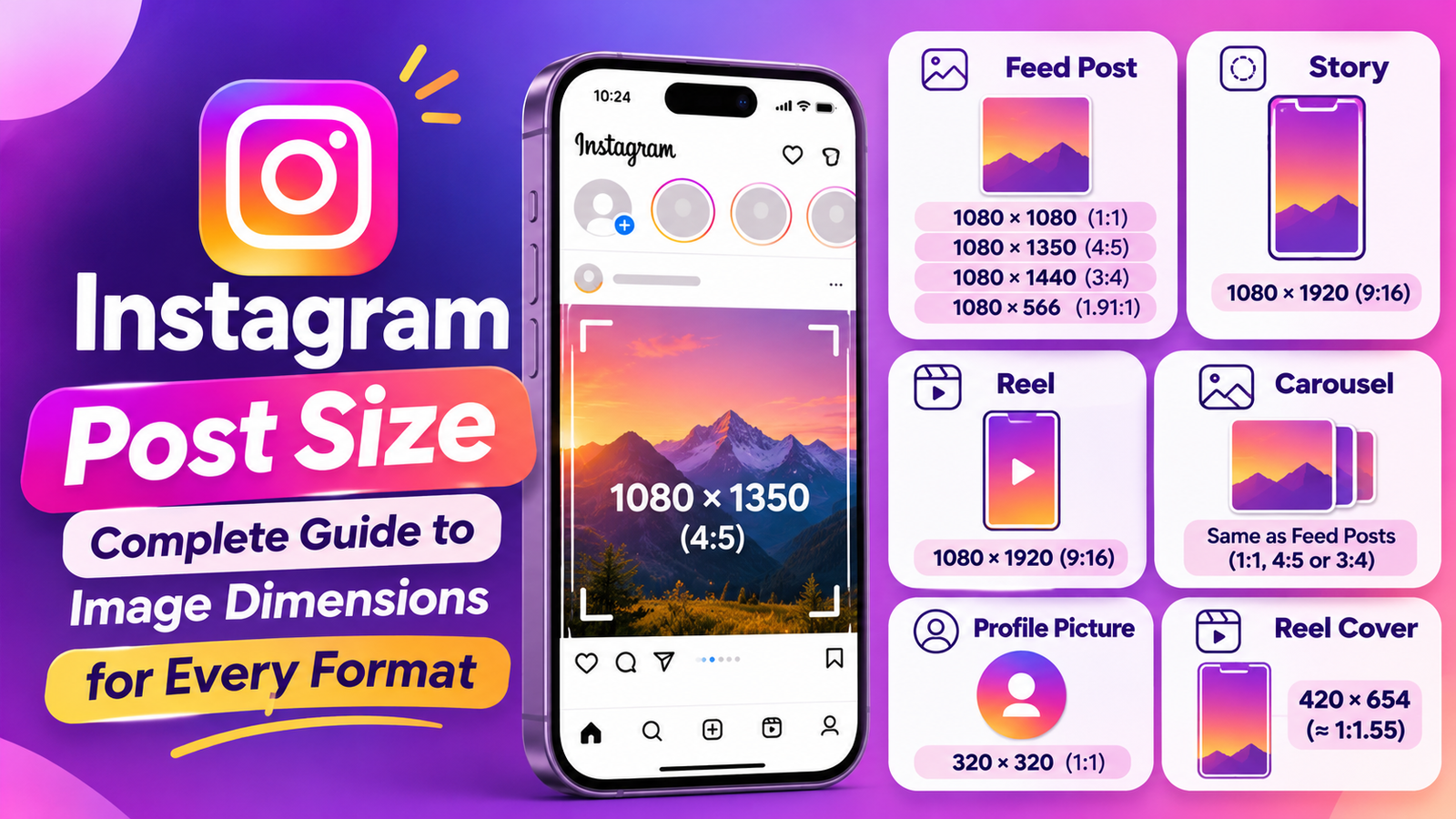
Instagram Post Size: Complete Guide to Image Dimensions for Every Format
Creating high-quality Instagram content involves more than choosing attractive photographs, writing captions, and adding hashtags. The dimensions of your images and videos also play an important role in how your content appears on the platform.
Whether you are a content creator, influencer, photographer, social media manager, or business owner, using the correct Instagram post size can help your visuals look professional, clear, and properly formatted across different Instagram placements.
Have you ever uploaded a photograph only to discover that part of the image was cropped? Or created an Instagram Story where the text appeared behind the interface buttons? These problems often happen when the image dimensions or aspect ratios do not match the intended format.
Instagram supports several content formats, including square posts, portrait images, landscape photographs, carousel posts, Stories, and Reels. Each format has its own recommended dimensions and display requirements.
For example, a square Instagram post generally uses 1080 × 1080 pixels, while a full-screen Instagram Story or Reel uses 1080 × 1920 pixels.
Understanding these differences can help you prepare images correctly before uploading them.
In this complete Instagram image size guide, you will learn the recommended dimensions for every major Instagram format, including feed posts, Stories, Reels, carousel slides, profile pictures, and Reel covers.
You will also discover the best aspect ratios, image formats, cropping techniques, export settings, and practical design tips to help your content look better on different devices.
Whether you create Instagram graphics using Canva, Photoshop, Adobe Express, or another design application, this guide will help you select the right image dimensions for your next post.
What Is Instagram Post Size?
Instagram post size refers to the width and height of an image or video uploaded to Instagram.
These dimensions are usually measured in pixels.
For example, an image measuring 1080 × 1080 pixels is 1080 pixels wide and 1080 pixels tall. It creates a square format commonly used for Instagram feed posts.
Similarly, an image measuring 1080 × 1350 pixels is taller than it is wide. This is known as a portrait format.
Instagram supports different image dimensions because users publish various types of visual content.
These include:
Square Instagram posts.
Portrait Instagram posts.
Landscape photographs.
Instagram carousel posts.
Instagram Stories.
Instagram Reels.
Profile pictures.
Reel cover images.
Choosing the correct dimensions helps control how your content appears when uploaded.
If an image has an unsupported aspect ratio, Instagram may crop or resize it to fit the available format.
This can sometimes remove important parts of a photograph, cut off text, or make a graphic look different from the original design.
For this reason, it is useful to prepare your images in the correct dimensions before publishing.
Instagram Post Size Guide 2026: Complete Dimensions Chart
Here is a quick reference chart covering the most common Instagram image and video sizes.
| Instagram Format | Image Dimensions | Aspect Ratio |
| Square Post | 1080 × 1080 px | 1:1 |
| Portrait Post | 1080 × 1350 px | 4:5 |
| Tall Portrait Post | 1080 × 1440 px | 3:4 |
| Landscape Post | 1080 × 566 px | 1.91:1 |
| Instagram Story | 1080 × 1920 px | 9:16 |
| Instagram Reel | 1080 × 1920 px | 9:16 |
| Carousel Post | Same as feed formats | 1:1, 4:5 or 3:4 |
| Profile Picture | 320 × 320 px* | 1:1 |
| Reel Cover Reference | 420 × 654 px | Approx. 1:1.55 |
The profile-picture size is a practical recommendation, not a mandatory official pixel specification.
These sizes provide a useful starting point for creating Instagram content.
However, choosing the correct dimensions also requires understanding how Instagram displays images in the feed, profile grid, Story viewer, and Reels tab.
Let’s explore each format separately.
1. Instagram Square Post Size (1080 × 1080 Pixels)
<caption>Aspect ratio: 1:1</caption>
Square images are one of the most recognizable Instagram formats.
A square Instagram post measures 1080 pixels in width and 1080 pixels in height.
Because both dimensions are equal, the image creates a perfectly balanced square composition.
Square posts are useful for photographs, product images, announcements, promotional graphics, and simple visual designs.
Recommended Square Post Dimensions
| Specification | Details |
| Width | 1080 pixels |
| Height | 1080 pixels |
| Aspect Ratio | 1:1 |
| Recommended Format | JPG or PNG |
| Best Use | Product photos, graphics, announcements |
When Should You Use Square Instagram Posts?
Square posts work especially well when your design does not require a tall or horizontal layout.
For example, an online store might use square photographs to display individual products.
A restaurant could use square images to showcase food photography, while a business account might publish square graphics containing short announcements.
Square images are also convenient when maintaining a consistent visual style across several social platforms.
Advantages of Square Posts
Balanced and symmetrical appearance.
Suitable for product photography.
Easy to design using Canva.
Convenient for simple promotional graphics.
Useful for maintaining consistent layouts.
Important Profile Grid Consideration
Instagram’s profile grid now uses a taller 3:4 preview rather than the older square preview.
This means a square post can appear cropped horizontally when viewed in the profile grid, even though the complete square image is visible when opening the feed post.
Keep important text, logos, and product details toward the center of your square design.
For a 1080 × 1080 image, the central area of approximately 810 pixels in width is a useful guide for keeping essential elements visible in a 3:4 grid preview.
2. Instagram Portrait Post Size (1080 × 1350 Pixels)
<caption>Aspect ratio: 4:5</caption>
Portrait images are a popular choice for Instagram feed content.
The recommended portrait Instagram post size is 1080 × 1350 pixels.
Unlike square images, portrait posts are taller than they are wide.
This allows photographs and graphics to occupy more vertical space while users scroll through their feeds.
For many creators and businesses, the 4:5 format is a practical choice because it works well for product photography, educational graphics, and promotional posts.
Recommended Portrait Post Dimensions
| Specification | Details |
| Width | 1080 pixels |
| Height | 1350 pixels |
| Aspect Ratio | 4:5 |
| Recommended Format | JPG or PNG |
| Best Use | Product photos, tutorials, promotional content |
Why Choose Portrait Images?
A portrait image occupies approximately 25% more vertical space than a square image at the same width.
This gives you additional room for visual information.
For example, a business can include a product photograph with a headline and a short description.
A content creator can use portrait dimensions for educational graphics or step-by-step tips.
Best Uses for Instagram Portrait Posts
Portrait images are especially useful for:
Product photography.
Fashion photographs.
Travel pictures.
Educational infographics.
Marketing announcements.
Promotional graphics.
Before-and-after images.
Should You Use 1080 × 1350 or 1080 × 1440?
Both formats are supported by the Instagram app, but they serve slightly different purposes.
The 1080 × 1350 format uses a 4:5 ratio and remains a practical choice when preparing content for external publishing services or multiple platforms.
The newer 1080 × 1440 format uses a 3:4 ratio and matches Instagram’s tallest supported feed-photo shape and its current profile-grid preview.
Choose between them according to your publishing workflow and design requirements.
3. Instagram Tall Portrait Post Size (1080 × 1440 Pixels)
<caption>Aspect ratio: 3:4</caption>
One important development in Instagram image formatting is support for the taller 3:4 image ratio.
A 3:4 image measuring 1080 × 1440 pixels provides additional vertical space compared with the traditional 4:5 portrait format.
This is particularly useful when designing content specifically for Instagram.
Recommended Dimensions
| Specification | Details |
| Width | 1080 pixels |
| Height | 1440 pixels |
| Aspect Ratio | 3:4 |
| Best Use | Instagram feed and profile-grid-friendly content |
Why Is the 3:4 Format Important?
Instagram changed its profile grid presentation from square thumbnails to taller rectangular previews in January 2025.
The 3:4 ratio matches this newer profile-grid shape.
As a result, a 1080 × 1440 post can fit the current grid preview without the same horizontal cropping experienced by square and 4:5 images.
This is useful for creators who carefully plan their Instagram profile appearance.
For example, if you publish a product graphic, you can position the product name and important design elements within the 3:4 canvas.
The complete design can then appear more naturally in the profile grid.
When Should You Use 3:4 Images?
Choose this format when:
Your content is designed specifically for Instagram.
You want a taller feed image.
You want to align the design with the current profile-grid preview.
You publish product photographs.
You create vertical educational graphics.
One important limitation: third-party scheduling tools and publishing APIs may support narrower aspect-ratio ranges than the Instagram app. Check your publishing tool before preparing an entire campaign in 3:4 format.
4. Instagram Landscape Post Size (1080 × 566 Pixels)
<caption>Aspect ratio: 1.91:1</caption>
Landscape images are wider than they are tall.
They are useful for photographs that need a horizontal composition.
The commonly recommended Instagram landscape size is 1080 × 566 pixels.
This creates an aspect ratio of approximately 1.91:1.
Landscape images are suitable for wide scenic photographs, group pictures, travel images, and promotional banners.
Recommended Landscape Dimensions
| Specification | Details |
| Width | 1080 pixels |
| Height | 566 pixels |
| Aspect Ratio | 1.91:1 |
| Best Use | Wide photographs and horizontal graphics |
When Are Landscape Instagram Posts Useful?
Landscape dimensions are especially useful when you want to preserve the complete width of a photograph.
For example, a travel photographer may want to share a wide mountain landscape.
A real estate business might use horizontal photographs to showcase a room or property.
A photographer might also choose landscape dimensions for group photos or wide outdoor scenes.
Advantages of Landscape Posts
Preserve wide photographic compositions.
Suitable for panoramic-style images.
Useful for group photographs.
Work well for certain product and location images.
A Common Landscape Image Mistake
Some users upload very wide photographs without checking the supported aspect ratio.
When an image falls outside Instagram’s supported range, the platform may crop it.
This can remove important elements from the sides or alter the composition.
Prepare your photograph in a supported ratio before publishing.
5. Instagram Story Size (1080 × 1920 Pixels)
<caption>Aspect ratio: 9:16</caption>
Instagram Stories use a vertical, full-screen format.
The recommended Instagram Story size is 1080 × 1920 pixels.
This ratio fills the screen of a vertically held smartphone and creates an immersive viewing experience.
Stories are commonly used for temporary updates, announcements, promotions, polls, questions, behind-the-scenes content, and interactive posts.
Recommended Instagram Story Dimensions
| Specification | Details |
| Width | 1080 pixels |
| Height | 1920 pixels |
| Aspect Ratio | 9:16 |
| Recommended Image Format | JPG or PNG |
| Best Use | Full-screen vertical content |
Why Use 1080 × 1920 for Instagram Stories?
The 9:16 format is designed for full-screen mobile viewing.
It provides enough vertical space to combine photographs, text, stickers, graphics, and other visual elements.
For example, an ecommerce store can create a Story promoting a new product.
A creator can share a behind-the-scenes video, while a restaurant can announce a daily special.
Instagram Story Design Tips
Keep important information away from the top.
The top portion of a Story may contain account information and other interface elements.
Avoid placing important text or logos too close to the top edge.
Leave space at the bottom.
Reply controls and interactive elements may cover part of the lower portion.
Keep important text and calls to action clear of this area.
Use readable typography.
Choose fonts that remain readable on smaller smartphone screens.
Avoid overcrowding the design.
Too many images, stickers, and text elements can make a Story difficult to understand.
Use high-quality images.
Start with a clear image at the recommended dimensions to reduce unnecessary enlargement and cropping.
Instagram Story Safe Zones
For Stories advertisements, Meta provides guidance about keeping key elements away from areas occupied by the interface.
A useful starting point for a 1080 × 1920 design is to keep approximately:
14% of the top clear.
35% of the bottom clear.
6% of each side clear.
These are advertising safe-zone guidelines and should be treated as a practical design reference for organic Stories, not a fixed rule for every placement.
The safest approach is to keep your main headline, brand logo, product, and call to action near the central area.
6. Instagram Reel Size (1080 × 1920 Pixels)
<caption>Aspect ratio: 9:16</caption>
Instagram Reels are designed for vertical video viewing.
The recommended Instagram Reel dimensions are 1080 × 1920 pixels, using a 9:16 aspect ratio.
This format fills the smartphone screen and provides a vertical canvas for short-form videos.
Reels are commonly used for tutorials, entertainment, product demonstrations, educational content, behind-the-scenes clips, and promotional videos.
Recommended Instagram Reel Dimensions
| Specification | Details |
| Width | 1080 pixels |
| Height | 1920 pixels |
| Aspect Ratio | 9:16 |
| Recommended Resolution | 1080p |
| Minimum Resolution | 720 pixels |
| Minimum Frame Rate | 30 FPS |
Instagram accepts a range of Reel aspect ratios, but 9:16 is the practical choice for a full-screen vertical experience.
Why Is 1080 × 1920 the Preferred Reel Size?
The 9:16 aspect ratio matches the shape of most modern smartphone screens in portrait orientation.
It allows creators to use the available screen space more effectively.
For example:
A fitness creator can demonstrate an exercise with enough vertical room to show the complete movement.
A travel creator can present destination videos with full-screen visuals.
An online store can showcase a product demonstration using a vertical video.
Instagram Reel Design Tips
1. Use vertical footage.
Record or edit videos in 9:16 whenever possible.
2. Keep the subject visible.
Place the main subject within the central area instead of positioning it too close to the edges.
3. Avoid interface overlays.
Instagram displays buttons, captions, and other interface elements over Reels.
Keep important text, products, and logos away from areas where these controls appear.
4. Use readable subtitles.
If your Reel contains spoken information, subtitles can help people understand the message.
5. Use a strong opening.
The opening moments should quickly communicate what the video is about.
6. Export in good quality.
Use the appropriate video settings and avoid repeatedly compressing the same file.
7. Instagram Carousel Post Size
<caption>Recommended approach: Use one consistent aspect ratio across slides.</caption>
An Instagram carousel allows users to share multiple images or videos within a single post.
Viewers can swipe through the slides to explore the content.
Carousels are useful for tutorials, product collections, educational guides, photography collections, and step-by-step explanations.
The recommended dimensions depend on the format you choose.
Instagram Carousel Dimensions
| Carousel Format | Dimensions | Aspect Ratio |
| Square Carousel | 1080 × 1080 px | 1:1 |
| Portrait Carousel | 1080 × 1350 px | 4:5 |
| Tall Portrait Carousel | 1080 × 1440 px | 3:4 |
| Landscape Carousel | 1080 × 566 px | 1.91:1 |
Important Carousel Size Rule
Keep every slide in the same orientation and aspect ratio.
For example, if you choose a 1080 × 1350 portrait design, prepare every slide using those dimensions.
Mixing square, portrait, and landscape slides can produce inconsistent cropping and an unprofessional presentation.
Best Uses for Instagram Carousels
Carousels work well for:
Step-by-step tutorials.
Educational content.
Product collections.
Before-and-after comparisons.
Photography collections.
Business tips.
Informational infographics.
How Many Slides Can an Instagram Carousel Have?
Instagram’s app supports up to 20 photos and videos in a carousel post.
However, third-party publishing services may have different limits.
Always check the requirements of your selected scheduling or publishing tool before uploading a large carousel.
Carousel Design Tips
Create a strong first slide because it introduces the subject and encourages viewers to explore the remaining slides.
Use consistent colors, fonts, and spacing.
Avoid placing text too close to the edges.
Make sure each slide contributes useful information rather than repeating the same message.
You should also check that images and text remain visually consistent across the entire carousel.
8. Instagram Profile Picture Size
<caption>Suggested image size: 320 × 320 pixels</caption>
Your Instagram profile picture is one of the first visual elements people notice when visiting your account.
It may contain a personal photograph, business logo, creator branding, or another recognizable image.
A 320 × 320 pixel square image is a commonly recommended practical starting point for profile pictures.
Instagram displays profile pictures in a circular shape.
This means the corners of the original square image are not visible in the final display.
Recommended Profile Picture Dimensions
| Specification | Details |
| Width | 320 pixels or higher |
| Height | 320 pixels or higher |
| Aspect Ratio | 1:1 |
| Display Shape | Circular |
| Best Use | Logos, portraits, brand identity |
Profile Picture Design Tips
Keep your subject centered.
Important parts of the image should remain inside the central circular area.
Use a simple design.
Small profile images cannot display complicated details clearly.
Choose good contrast.
Make sure your logo or photograph remains distinguishable against its background.
Avoid small text.
Text that looks readable in a large design may become difficult to read when displayed as a small profile image.
Use a high-quality source image.
A sharp original photograph or logo will generally look better than an enlarged, low-resolution file.
9. Instagram Reel Cover Size
A Reel cover is the thumbnail image associated with your video.
It helps introduce the subject before someone opens the Reel and can also influence how your profile grid looks.
Instagram’s Help Center provides a cover-image reference size of 420 × 654 pixels.
However, when designing the complete Reel creative, a 1080 × 1920 vertical canvas is useful because it matches the video dimensions.
The platform may display the cover differently in the Reels tab, feed, and profile grid.
Reel Cover Design Tips
Use a clear headline.
Make the main subject recognizable.
Keep essential information near the center.
Use colors that match your profile.
Avoid very small text.
Preview the cover in the profile grid.
Check how the thumbnail appears on mobile.
For a professional profile, prepare custom covers with a consistent visual style.
For example, a fitness creator might use the same font and color palette for every workout Reel.
A travel blogger could use recognizable destination photographs with short location titles.
Important: Design the cover while considering the 3:4 profile-grid preview, even when the full video is 9:16.
10. Instagram Grid Image Size and Preview Cropping
Instagram’s profile grid has changed over time.
Older guides commonly recommend square images because the profile grid previously displayed square thumbnails.
However, Instagram transitioned to taller rectangular profile-grid previews in January 2025.
The current profile-grid preview is approximately 3:4.
This change makes it important to consider how your images appear in the grid before publishing.
Why Does Grid Cropping Matter?
Imagine you create a square promotional graphic with a headline positioned near the left edge.
The complete image may look correct when opened, but the profile-grid preview may crop part of the design.
This can make the headline or logo difficult to recognize.
The same problem can affect product images and photographs with important details close to the edges.
How to Protect Important Content
Consider the following recommendations:
Keep logos near the center.
Avoid putting important words at the extreme edges.
Use a consistent visual layout.
Preview the grid appearance before publishing.
Use the 3:4 format when designing specifically for the current grid.
For a square image, keep essential elements inside the central region.
For a 4:5 image, leave a margin on both sides so that the profile-grid crop does not remove important information.
If needed, use Instagram’s available profile-preview adjustment options when editing a post.
11. Instagram Image Size for Different Content Types
Choosing an image size becomes easier when you understand the purpose of each post.
Different content types require different visual layouts.
Here are examples of how you can select the right Instagram dimensions.
Product Photography
Product photographs are commonly created using square or portrait formats.
A square image is useful for simple product displays.
A 4:5 portrait image offers more vertical room for clothing, accessories, and product arrangements.
A 3:4 design is also useful when you want your image to align with Instagram’s taller profile grid.
Fashion Photography
Fashion content often benefits from portrait dimensions.
The taller canvas provides more room to display clothing and styling details.
A 1080 × 1350 or 1080 × 1440 image can be a good choice depending on your design and publishing workflow.
Food Photography
Food creators can use square or portrait formats.
Square images work well for a single dish displayed in the center.
Portrait images are useful for taller compositions, food arrangements, and recipe graphics.
Travel Photography
Travel content can benefit from both landscape and portrait layouts.
Landscape images are suitable for wide scenic compositions.
Portrait images are useful when the main subject is tall, such as a building, mountain, or waterfall.
Choose the format that preserves the important visual elements.
Educational Instagram Graphics
Educational posts often need space for text and visual explanations.
Portrait dimensions provide additional vertical room for headings, bullet points, charts, and short instructions.
For example, a five-step tutorial could use a 1080 × 1350 or 1080 × 1440 layout.
Promotional Graphics
Promotional images often include product photographs, headlines, pricing information, and calls to action.
Use a format that provides enough space for these elements without making the design overcrowded.
If a graphic is intended for a feed post, select an appropriate feed dimension rather than using a full-screen Story template.
12. Instagram Image File Formats: JPG vs. PNG
Choosing the correct dimensions is important, but the file format also affects how your image looks.
The two commonly used image formats for Instagram graphics are JPG and PNG.
Each format has advantages depending on the content.
JPG Format
JPG is commonly used for photographs.
It can reduce image file sizes while maintaining acceptable visual quality.
JPG works well for:
Travel photography.
Product photographs.
Fashion images.
Lifestyle photography.
Food pictures.
Landscape images.
When exporting a JPG, use a high-quality setting to reduce visible compression.
PNG Format
PNG is often preferred for graphics containing sharp edges, text, logos, icons, and flat colors.
It can preserve these elements clearly.
PNG is useful for:
Educational infographics.
Text-based graphics.
Brand logos.
Illustrations.
Promotional designs.
Screenshots.
However, PNG files can be larger than JPG files, especially when used for detailed photographs.
Which Format Should You Choose?
Use JPG for most photographic content.
Choose PNG when your design contains important text, logos, or sharp graphical elements.
The best format depends on your original design and the visual quality you want to preserve.
13. Best Instagram Image Export Settings
After creating an image in Canva, Photoshop, or Adobe Express, export it with suitable settings.
Poor export settings can make an image look blurry even when the original design is high quality.
Here are practical recommendations.
1. Use the Correct Pixel Dimensions
Prepare your image according to the placement.
For example:
Square feed: 1080 × 1080.
Portrait feed: 1080 × 1350.
Tall portrait feed: 1080 × 1440.
Story: 1080 × 1920.
Reel: 1080 × 1920.
2. Avoid Unnecessary Resizing
If your original design already has the correct dimensions, avoid repeatedly resizing it.
Repeated resizing and exporting can reduce visual quality.
Start with a properly sized design document.
3. Export High-Quality JPG Images
For photographs, choose a high-quality JPG export.
This helps preserve important visual details while maintaining a manageable file size.
4. Export Graphics as PNG When Appropriate
Text-based graphics and illustrations may look better as PNG files.
Check the final result to make sure small text and logos remain clear.
5. Use Clear Typography
If your image contains text, make sure it is readable on a smartphone screen.
Avoid using very small fonts or low-contrast text.
6. Avoid Unnecessary Compression
Compressing an image too aggressively can introduce visible artifacts.
Review the exported file before uploading it to Instagram.
7. Enable High-Quality Uploads
Instagram offers an Upload at highest quality setting in its media-quality preferences.
Enabling this option can help when uploading higher-quality content, although the process may take longer depending on your connection.
14. How to Resize Images for Instagram Without Cropping
Sometimes you have an image that does not match Instagram’s recommended dimensions.
For example, your original photograph might be 1600 × 900 pixels.
This is a 16:9 landscape image, which is wider than Instagram’s maximum regular feed-photo ratio.
You have several ways to prepare it.
Method 1: Crop the Image
Cropping removes unwanted parts of an image to match the required aspect ratio.
This is useful when the important subject is positioned toward the center.
For example, you can crop a photograph into a square or portrait format.
However, cropping may remove important details from the original photograph.
Method 2: Add Background Space
Instead of cropping, you can place the complete original photograph inside a correctly sized canvas.
For example, you can place a landscape image inside a square design with a matching background.
This keeps the entire photograph visible while adjusting the overall dimensions.
Method 3: Use an Online Image Resizer
An online social media image resizer can help prepare images for different Instagram formats.
You can upload an image, select a target dimension, adjust the crop, and download the resized result.
This is especially useful when creating multiple versions of the same visual.
Method 4: Use Canva
Canva provides custom design dimensions and ready-made social media templates.
You can create a custom canvas, upload your original image, adjust its placement, and export the final result.
Method 5: Use Adobe Photoshop
Photoshop offers more control over cropping, canvas size, image resolution, and export quality.
It is useful for designers who need precise image adjustments.
The best method depends on whether you want to crop the photograph, preserve the complete image, or create a new composition.
15. Common Instagram Image Size Mistakes to Avoid
Even experienced creators sometimes upload images using incorrect dimensions.
These mistakes can affect image appearance and make your Instagram content look less professional.
Mistake 1: Uploading the Wrong Aspect Ratio
Using an image with an unsupported aspect ratio may result in automatic cropping.
Always check the dimensions before uploading.
Mistake 2: Using Low-Resolution Images
Small or low-quality images may look blurry when displayed on modern smartphone screens.
Use a sufficiently large original image for the selected format.
Mistake 3: Ignoring Profile Grid Cropping
An image may appear perfect in the feed but look different in the profile grid.
Consider the current 3:4 preview when placing important design elements.
Mistake 4: Designing Stories With Feed Dimensions
A 4:5 image is not the same as a full-screen 9:16 Story.
Using a feed design inside a Story without adjusting the layout can leave empty areas or cause important elements to overlap with the interface.
Create separate designs when necessary.
Mistake 5: Placing Text Too Close to Edges
Text near the edges can be cut off or covered by interface elements.
Maintain sufficient margins around important information.
Mistake 6: Mixing Carousel Orientations
Using different aspect ratios across carousel slides can cause inconsistent presentation.
Prepare all slides using the same orientation.
Mistake 7: Overcompressing Images
Aggressive compression can make photographs and graphics look poor.
Export using appropriate quality settings.
Mistake 8: Using the Same Design for Every Placement
A Story, Reel cover, and feed post serve different purposes.
Instead of using one layout everywhere, adapt the design to each placement.
Mistake 9: Forgetting to Preview the Final Design
Always review your design before publishing.
Check the feed appearance, profile-grid crop, text alignment, and overall image quality.
16. Best Tools to Create Instagram Post Images
You do not need expensive professional software to create correctly sized Instagram images.
Several tools can help you prepare your visuals.
Canva
Canva is a popular design application for creating social media graphics.
It offers templates and custom dimensions for Instagram feed posts, Stories, and other visual content.
It is especially helpful for beginners.
Adobe Photoshop
Photoshop is useful for more advanced image editing.
You can control canvas size, resolution, cropping, layers, background removal, and export settings.
It is suitable for professional designers and photographers.
Adobe Express
Adobe Express provides templates and design features for social media content.
You can use it to create promotional images, announcements, and branded graphics.
Squoosh
Squoosh is an image optimization tool that can help reduce image file sizes.
It is useful when you want to optimize photographs before uploading them.
However, image compression and image resizing are separate processes. Check the final dimensions after optimization.
Free Social Media Image Resizer
A social media image resizer can simplify the process of preparing one image for multiple placements.
Depending on the tool, you may be able to select Instagram square, portrait, Story, or Reel presets.
This saves time when producing content regularly.
17. Instagram Post Size for Businesses and Content Creators
Different users have different visual requirements.
A business account may prioritize product photography and promotional designs, while a content creator may focus on Reels, lifestyle images, and educational carousels.
Understanding the correct Instagram post sizes can make content production more organized.
For Small Businesses
Small businesses can use:
Square images for product displays.
Portrait images for promotional designs.
Stories for announcements.
Reels for product demonstrations.
Carousels for product collections.
Prepare separate versions when your content is being used in different placements.
For Influencers
Influencers can use portrait posts for lifestyle photographs and 9:16 Reels for vertical video content.
Consistent cover designs can also help create a recognizable profile appearance.
For Digital Marketers
Digital marketers can use multiple Instagram formats depending on the campaign objective.
For example, an educational carousel may need a portrait canvas, while a promotional Story requires a full-screen vertical design.
Keep the creative dimensions aligned with the intended placement.
For Photographers
Photographers should choose dimensions according to the composition.
Portrait images can highlight tall subjects, while landscape images can preserve wide scenes.
Do not crop important photographic details simply to fit a different format when a supported alternative is available.
For Social Media Managers
Social media managers can create reusable templates for different Instagram placements.
A template library may include:
Square post templates.
Portrait post templates.
Tall portrait templates.
Carousel layouts.
Story templates.
Reel covers.
This can make content production faster and help maintain visual consistency across client accounts.
Frequently Asked Questions About Instagram Post Size
1. What is the best Instagram post size in 2026?
For a traditional portrait feed post, 1080 × 1350 pixels (4:5) remains a practical choice.
Instagram also supports 1080 × 1440 pixels (3:4), which matches its tallest supported feed-photo ratio and current profile-grid shape.
For Stories and Reels, use 1080 × 1920 pixels (9:16).
2. What is the Instagram square post size?
The recommended square Instagram post size is 1080 × 1080 pixels.
It uses a 1:1 aspect ratio and is suitable for product photographs, graphics, announcements, and promotional content.
3. What is the Instagram portrait post size?
The commonly used portrait post size is 1080 × 1350 pixels, with a 4:5 aspect ratio.
For a taller 3:4 feed image, you can also use 1080 × 1440 pixels.
4. What is the Instagram landscape post size?
The recommended landscape Instagram post size is 1080 × 566 pixels.
It uses an aspect ratio of approximately 1.91:1.
This format works well for wide photographs and horizontal compositions.
5. What size should an Instagram Story be?
The recommended Instagram Story size is 1080 × 1920 pixels, using a 9:16 aspect ratio.
This format fills the smartphone screen vertically.
6. What size should Instagram Reels be?
The recommended Instagram Reel size is 1080 × 1920 pixels.
This creates a full-screen vertical video with a 9:16 aspect ratio.
Instagram also accepts a wider range of video ratios, but 9:16 is the preferred full-screen format.
7. What is the Instagram carousel post size?
Instagram carousels can use square, portrait, tall portrait, or landscape dimensions.
Common examples include:
1080 × 1080 pixels.
1080 × 1350 pixels.
1080 × 1440 pixels.
1080 × 566 pixels.
Use the same aspect ratio for every slide within a carousel.
8. What is the Instagram profile picture size?
A commonly recommended profile picture size is 320 × 320 pixels or larger, using a square 1:1 image.
Instagram displays profile pictures in a circular shape.
Keep your logo or photograph centered to avoid losing important details.
9. What is the Instagram Reel cover size?
Instagram’s Help Center lists a Reel cover reference size of 420 × 654 pixels.
For designing full-screen video creative, 1080 × 1920 pixels is a practical vertical canvas.
Keep the important elements centered so the cover remains recognizable in different previews.
10. Does Instagram automatically resize uploaded images?
Instagram may resize images that are outside its supported width or aspect-ratio range.
It can also crop images to fit supported formats.
Preparing your image in the correct dimensions helps you control how the final content looks.
11. Why does my Instagram image look blurry?
An image may look blurry because the original resolution is too low, the file has been compressed excessively, or the image has been resized multiple times.
Start with a high-quality source image and export it using suitable dimensions and settings.
12. Is 1080 × 1350 better than 1080 × 1080?
A 1080 × 1350 portrait image occupies more vertical space than a square image in the feed.
It can be useful for product photography, educational graphics, and promotional posts.
However, square images are still suitable for centered compositions and product displays.
Choose the format that best suits your content.
13. Is 1080 × 1920 suitable for Instagram posts?
It is the recommended format for Stories and Reels.
A 9:16 image is taller than the supported regular feed-photo range, so it should not be used as a normal feed image without adjustment.
Use a suitable feed format instead.
14. What aspect ratio does Instagram currently use for its profile grid?
Instagram’s current profile-grid previews use an approximately 3:4 aspect ratio.
This is different from the older square-grid presentation.
When designing profile-focused content, consider the 3:4 preview and keep important information toward the center.
15. Which image format is best for Instagram, JPG or PNG?
JPG is commonly suitable for photographs because it provides smaller files at good visual quality.
PNG is often preferable for graphics, illustrations, screenshots, and images containing sharp text or logos.
Choose the format according to your content.
16. Can I upload a 4:5 image to Instagram?
Yes. A 4:5 portrait image is a supported feed format.
A common recommended dimension is 1080 × 1350 pixels.
17. Can I upload a 3:4 image to Instagram?
Yes. Instagram’s current feed-photo guidance supports the 3:4 format.
At 1080 pixels wide, the corresponding dimensions are 1080 × 1440 pixels.
However, check third-party scheduling tool compatibility before using 3:4 content in an automated publishing workflow.
18. What is the minimum Instagram image width?
Instagram’s photo-resolution guidance describes image handling for photos between 320 and 1080 pixels wide when the aspect ratio falls within the supported range.
For sharp feed content, preparing images at 1080 pixels wide is generally a practical choice.
19. How can I resize an image for Instagram without cropping?
You can resize an image using Canva, Photoshop, or an online image resizer.
One option is to place the complete original image inside a correctly sized canvas and add background space instead of removing parts of the photograph.
This helps preserve the original composition.
20. Does Instagram support 3:4 carousels?
The Instagram app supports the 3:4 feed-photo shape.
When creating a carousel, use the same aspect ratio for every slide and preview the result before publishing.
Some external publishing services may have more restrictive supported ratios.
21. Should I use the same dimensions for Instagram Stories and Reels?
Both formats commonly use 1080 × 1920 pixels with a 9:16 aspect ratio.
However, their interfaces and placement requirements are different.
A Story design may include interactive stickers, while a Reel cover needs to remain recognizable in the profile grid.
You may therefore need separate layouts.
22. Does Instagram crop square posts in the new profile grid?
Square posts can appear cropped in the taller 3:4 profile-grid preview.
The full square image may still appear when the post is opened.
Keep important content near the center to reduce the chance of losing important details in the grid.
23. How do I make Instagram images look professional?
Use the right dimensions, high-quality source images, readable typography, balanced composition, and consistent branding.
Preview your design on a smartphone before uploading it.
Avoid excessive compression and keep important elements away from the edges.
Final Thoughts
Choosing the correct Instagram post size is an important part of creating professional social media content.
Whether you publish photographs, promotional graphics, carousel posts, Stories, or Reels, using appropriate image dimensions can help your visuals appear more consistent across Instagram.
For a square feed post, use 1080 × 1080 pixels.
For a portrait feed post, consider 1080 × 1350 pixels or the taller 1080 × 1440 pixel format.
For Stories and Reels, use 1080 × 1920 pixels.
Also remember that Instagram’s profile grid now uses a taller 3:4 preview, so keeping logos, headlines, and important visual elements near the center is useful.
You do not need complicated editing software to prepare correctly sized images. Tools such as Canva, Photoshop, Adobe Express, and online image resizers can help you create visuals that match your requirements.
Before publishing, always review the final image, check the dimensions, and make sure that nothing important is cropped or hidden.
Ready to prepare your next Instagram graphic?
Use our free Social Media Image Resizer to resize your images for Instagram feed posts, Stories, Reels, and other social media platforms. Create correctly sized visuals and make your content look polished before publishing.