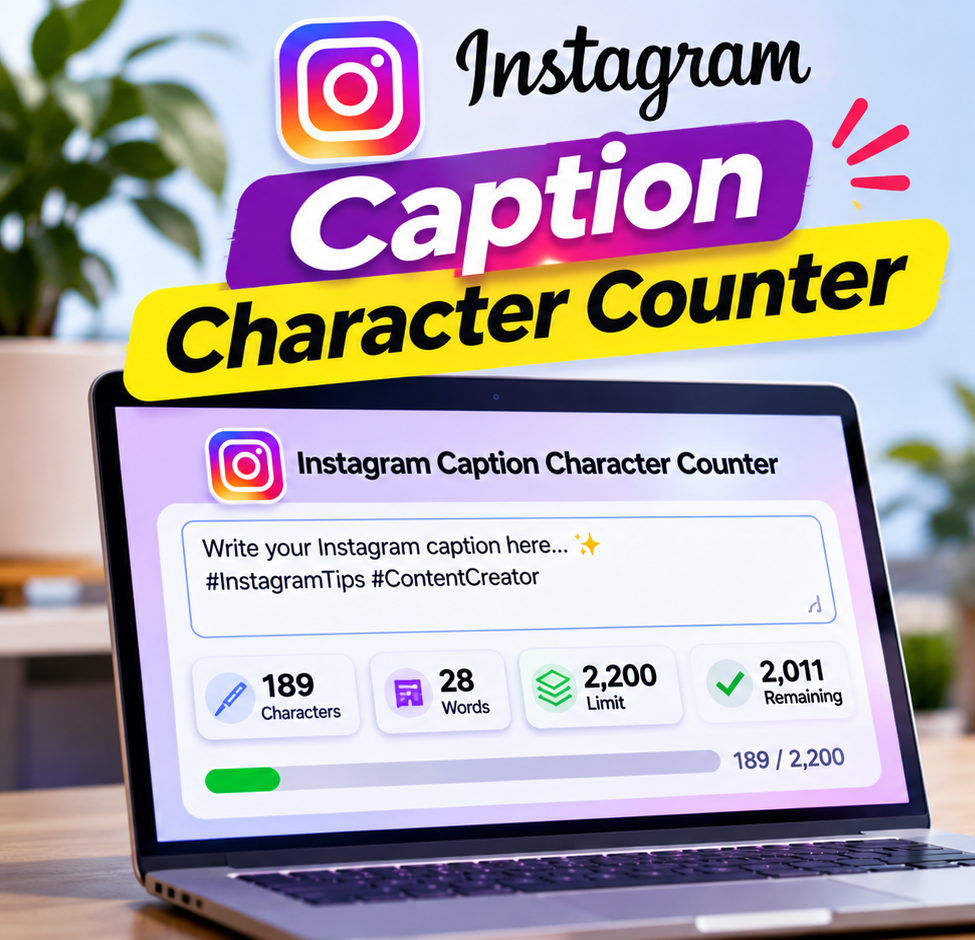
Free Instagram Caption Character Counter: Check Your Caption Length
Writing the perfect Instagram caption takes time. You need an engaging opening, meaningful information, relevant hashtags, and sometimes a call to action. However, even a well-written caption can become difficult to manage when you do not know how many characters you have used.
An Instagram caption character counter makes this process easier by helping you measure your caption length before publishing. Instead of manually counting every word, space, emoji, punctuation mark, and hashtag, you can use a free online counter to check your text in seconds.
Whether you are an Instagram creator, influencer, social media manager, small business owner, or digital marketer, checking caption length can help you prepare more organized posts and avoid exceeding the platform’s publishing limit.
In this guide, you will learn how an Instagram caption character counter works, how to check your caption length, what counts as a character, how Instagram’s caption limit works, and how to write captions that encourage people to read, comment, save, and interact with your content.
You will also discover practical caption examples, useful writing techniques, common mistakes, and answers to frequently asked questions.
What Is an Instagram Caption Character Counter?
An Instagram caption character counter is a free online tool that calculates the number of characters in your Instagram post caption.
It allows you to enter or paste your text into a counting field and instantly see how long your caption is.
Depending on the tool’s features, it may also display:
Total character count.
Remaining characters.
Word count.
Number of spaces.
Number of line breaks.
Emoji count.
Hashtag count.
Mention count.
For example, imagine you have written a caption for an Instagram post promoting a new product. Your caption includes a product description, a few emojis, a promotional message, and several hashtags.
Instead of estimating its length, you can paste the complete caption into an Instagram caption length checker and review the character count immediately.
This helps you understand whether your text is within the supported caption length and whether you need to remove unnecessary words.
An Instagram caption counter is useful for both short and long captions. You can use it when writing a single sentence, a promotional announcement, a product description, an educational post, or a detailed storytelling caption.
The main purpose is simple: help you measure your text before publishing so that you can focus on creating useful and engaging content.
What Is the Instagram Caption Character Limit?
Instagram captions have a maximum length of 2,200 characters according to Meta’s Instagram publishing API documentation.
This is the commonly used maximum when preparing an Instagram caption.
The character allowance includes more than ordinary letters and words. Your complete caption may contain spaces, punctuation, hashtags, account mentions, emojis, and line breaks.
All these elements use space in your caption.
Here is a quick overview:
| Caption Element | Counts Toward Caption Length? |
| Letters | Yes |
| Numbers | Yes |
| Spaces | Yes |
| Punctuation | Yes |
| Emojis | Yes |
| Hashtags | Yes |
| @Mentions | Yes |
| Line breaks | Yes |
| Text links | Yes |
For example, a caption containing 1,500 characters of ordinary text and another 200 characters of hashtags and mentions uses approximately 1,700 characters of its available allowance.
It is important to check the complete caption rather than counting only the main paragraph.
Important: Meta’s developer documentation describes the caption field used in API publishing. Instagram’s app interface may apply its own validation, so check the publishing screen before posting if it displays a different restriction.
How to Use Our Free Instagram Caption Character Counter
Using an Instagram caption character counter is straightforward. You do not need advanced writing skills, technical knowledge, or complicated software.
Follow these simple steps to check your Instagram caption length.
Step 1: Write Your Instagram Caption
First, prepare the caption you want to publish.
You can write it in a text editor, document, or directly in your preferred writing application.
Your caption might contain:
An interesting opening sentence.
A product or service description.
Helpful information.
Emojis.
A question for your audience.
Relevant hashtags.
A call to action.
Try to complete the entire caption before checking its length. This gives you a more accurate idea of how much space your final text requires.
Step 2: Copy Your Caption
After writing your text, select the entire caption and copy it.
Make sure you include everything you plan to publish, including:
The opening sentence.
Main content.
Additional paragraphs.
Hashtags.
Mentions.
Emojis.
Line breaks.
Leaving out these elements can produce an incorrect estimate of the final caption length.
Step 3: Paste Your Text Into the Counter
Open the Instagram caption character counter on this page.
Paste your copied caption into the available text box.
The tool can calculate your text automatically and display the total number of characters.
You do not need to count anything manually.
Step 4: Check Your Character Count
Review the result displayed by the counter.
For example:
| Measurement | Example Result |
| Total Characters | 1,450 |
| Caption Limit | 2,200 |
| Characters Remaining | 750 |
| Words | 235 |
These are illustrative numbers, not a fixed result.
Your actual count depends on the text you enter.
If your caption is comfortably within the limit, you can continue editing or prepare it for publication.
If your caption is too long, identify unnecessary words, repeated sentences, or irrelevant information that can be removed.
Step 5: Edit and Improve Your Caption
Character counting is not just about reducing text.
It is also an opportunity to improve your writing.
Consider replacing a long sentence with a shorter one, removing repeated information, or making your opening sentence more interesting.
For example:
Before editing:
“We are extremely excited and very happy to announce that our new collection of products is now finally available for everyone who is interested in discovering our latest designs.”
After editing:
“Our new collection is here! Discover the latest designs and find your next favorite today.”
The revised version communicates the same general announcement with fewer words.
Step 6: Check the Final Version Again
Once you have finished editing, paste your updated caption into the counter one more time.
Review the complete character count and make sure your caption is ready.
This final check is especially useful when you have added hashtags, changed the opening, included emojis, or inserted additional information.
What Counts as a Character in an Instagram Caption?
Understanding character counting is important because many people assume that only letters and numbers contribute to the caption length.
In reality, several other elements can affect your total.
Let’s look at them individually.
1. Letters and Numbers
Every ordinary letter and digit contributes to your caption’s character count.
For example:
“Instagram Growth”
The letters and the space between the two words all contribute to the total.
Numbers work in the same way.
For example:
“10 Tips for Better Instagram Posts”
Both letters and numbers count.
2. Spaces
Spaces are easy to overlook when preparing a caption.
However, each space between words contributes to the total character count.
A caption containing multiple paragraphs and sentences can use more characters than expected because of the spaces between words.
This is one reason why checking your complete text with a caption character counter is more reliable than estimating its length.
3. Punctuation Marks
Punctuation marks also contribute to your caption length.
These include:
Periods (.)
Commas (,)
Question marks (?)
Exclamation marks (!)
Colons (:)
Semicolons (;)
Quotation marks (” “)
Brackets ( )
Although these elements may look small, they are part of your written caption.
4. Emojis
Emojis are commonly used in Instagram captions to make messages more expressive and visually interesting.
For example:
“Good morning! ☀️ Start your day with positive energy.”
The sun emoji contributes to the caption’s total length.
There is one technical detail worth understanding: some emojis consist of several underlying Unicode characters, even though they appear as one visual symbol. Skin-tone combinations and family emojis are examples.
Different counting systems may therefore display slightly different totals.
For captions containing many combined emojis, it is sensible to leave a small margin instead of aiming for the exact maximum.
5. Hashtags
Hashtags are useful for describing the topic of your post and helping users discover relevant content.
For example:
#InstagramTips #SocialMediaMarketing #ContentCreator
Every hashtag uses characters, including the hashtag symbol and the letters that follow it.
If you include hashtags at the bottom of your caption, remember that they are part of the same caption field.
Hashtag guidance: Instagram’s Help Center currently describes a limit of up to five hashtags per post, while Meta’s developer API reference lists a separate maximum of 30 hashtags for API publishing. These are different publishing contexts. For regular posting through Instagram, follow the latest in-app Help Center guidance.
6. Account Mentions
You might mention another Instagram account in your caption.
For example:
“Thanks to @examplecreator for sharing this idea!”
The @ symbol and the account name use part of your available caption space.
Mentions can be useful when collaborating with creators, recognizing customers, or giving credit to relevant accounts.
However, only mention accounts when doing so makes sense for the content.
7. Line Breaks
Line breaks help organize captions and make longer posts easier to read.
For example:
“Your daily reminder to keep learning.
Small improvements create big results.
Save this post for later!”
The spaces created by new lines also contribute to the underlying text length.
If your caption contains many empty lines, those characters can add up.
Use paragraph breaks to improve readability rather than adding unnecessary blank spaces.
Why Should You Use an Instagram Caption Character Counter?
You might be wondering why checking caption length is important when Instagram already provides a place to write your post.
There are several practical reasons.
1. Avoid Exceeding the Caption Limit
One of the main reasons to use an Instagram caption character counter is to check whether your text fits within the available caption allowance.
Long product descriptions, storytelling posts, and educational captions can become lengthy without you noticing.
A counter helps you identify the problem before publishing.
Instead of repeatedly editing text inside Instagram, you can prepare the caption separately and check it first.
This can make your content creation process more organized.
2. Save Time When Creating Content
Content creators often prepare multiple captions in advance.
A social media manager might create captions for an entire week, while a business owner might write descriptions for several products.
Manually estimating the length of every caption takes unnecessary effort.
Using a free Instagram caption counter makes this task quicker.
You can check several drafts, make adjustments, and prepare your content without repeatedly counting characters yourself.
3. Improve Caption Readability
A longer caption is not automatically a better caption.
Sometimes, a post contains unnecessary sentences that make the main message difficult to understand.
Checking caption length encourages you to review your writing and remove information that does not contribute to the purpose of the post.
However, the goal should not always be to make every caption shorter.
The goal is to communicate your message clearly.
A detailed educational caption may need more explanation than a simple promotional announcement.
4. Plan Hashtags More Carefully
Hashtags are part of your total caption length.
If you add them without checking your complete text, you may discover that your caption is longer than expected.
A character counter helps you measure the space used by your selected hashtags.
You can then make sure that your hashtags are relevant and that your caption remains within the available character allowance.
5. Create More Professional Social Media Content
Professional social media content requires more than attractive images.
Clear writing, organized paragraphs, relevant information, and thoughtful calls to action also matter.
A caption length checker can become a useful part of your publishing checklist.
It helps you review your content before it reaches your audience.
6. Manage Multiple Instagram Accounts
Social media agencies and freelance marketers often manage multiple accounts.
Each account may target a different audience and have a different communication style.
One account might publish educational content, another might focus on products, and another might share entertainment.
A free Instagram caption character counter provides a simple way to check captions across these different accounts.
This makes content preparation easier when working with several brands.
How to Write an Effective Instagram Caption Within the Character Limit
Knowing the Instagram caption limit is only one part of creating successful content.
You also need to understand how to use your available space effectively.
Here are practical writing techniques that can help.
1. Start With an Interesting Hook
Your opening sentence should communicate why someone should read the rest of your caption.
People often scroll quickly through their Instagram feeds, so your first line needs to establish relevance.
Consider these examples:
Question-based hook:
“Are you making these common Instagram mistakes?”
Problem-based hook:
“Struggling to create engaging social media content?”
Curiosity-based hook:
“Here is one simple trick that can improve your content workflow.”
Benefit-based hook:
“Want to make your Instagram profile look more professional?”
Each approach gives the reader a reason to continue.
Do not waste the opening of your caption with unnecessary introductions.
Place the most important information early, because the Instagram feed may collapse longer captions behind a More option. The exact visible preview varies with the device and presentation.
2. Keep Your Sentences Clear
Long and complicated sentences can make captions difficult to understand.
Try to communicate one main idea at a time.
For example:
Less effective:
“Our platform provides users with the opportunity to explore a variety of useful features that can help improve their overall social media content creation experience.”
More direct:
“Create better social media content with simple, useful tools.”
The second version is easier to understand and communicates the main benefit quickly.
3. Use Short Paragraphs
Large blocks of text can look overwhelming on a mobile screen.
Even when your caption contains valuable information, readers may find it difficult to follow.
Organize long captions into smaller paragraphs.
For example:
“Creating better content starts with understanding your audience.
Focus on the questions people ask, the problems they face, and the information they need.
Then turn those insights into helpful posts.
Save this idea for your next content planning session!”
Each paragraph communicates a separate part of the message.
4. Include a Relevant Call to Action
A call to action tells your audience what they can do after reading your caption.
Depending on your content, you might encourage readers to:
Save the post.
Share it with a friend.
Leave a comment.
Visit your website.
Explore a product.
Follow your account.
Send a direct message.
For example:
“Which of these tips will you try first? Share your answer in the comments!”
A good call to action should feel natural and connected to your content.
Avoid adding several unrelated requests simply to increase interaction.
5. Use Emojis With a Purpose
Emojis can help make your captions more visually appealing.
They can also separate sections or draw attention to important information.
For example:
“5 Tips for Better Content Creation:
✍️ Plan your ideas.
📸 Use relevant visuals.
🎯 Understand your audience.
📊 Review your results.
🚀 Improve consistently.”
However, excessive emojis can distract readers and make professional content look unorganized.
Choose emojis that match your message and audience.
6. Use Relevant Hashtags
Hashtags should describe the actual subject of your post.
For example, a post about social media content planning might use:
#ContentPlanning #SocialMediaTips #DigitalMarketing
Avoid using unrelated hashtags simply because they appear popular.
Relevant hashtags provide context about the topic of your post.
Keep the current Instagram hashtag guidance in mind and check the latest app rules before publishing.
7. Remove Repeated Information
Repeated sentences increase caption length without necessarily adding value.
For example, you do not need to explain the same product benefit three different ways.
Review each paragraph and ask yourself:
Does this sentence provide new information?
Does it help explain the main idea?
Is it relevant to my audience?
Can I communicate the same point more clearly?
Removing unnecessary repetition can improve both readability and caption length.
Short Instagram Captions vs. Long Instagram Captions
There is no single caption length that works for every Instagram post.
The right length depends on the content, audience, purpose, and message.
Both short and long captions can be effective when they provide the information readers need.
When Should You Use Short Captions?
Short captions work well when the image or video communicates most of the message.
They are useful for:
Product photographs.
Simple announcements.
Inspirational quotes.
Short updates.
Event promotions.
Casual lifestyle posts.
Example:
“New collection, fresh ideas, and styles made for everyday living. ✨ Explore what’s new today!”
A short caption can communicate a clear message without unnecessary explanation.
When Should You Use Long Captions?
Long captions can be useful when your post needs additional context or detailed information.
Consider using them for:
Educational posts.
Tutorials.
Personal stories.
Detailed product explanations.
Industry insights.
Step-by-step guides.
Frequently asked questions.
Example:
“Building a consistent content strategy takes more than publishing random posts.
Start by identifying your audience and understanding what information they need.
Create content that answers their questions, solves relevant problems, and provides something useful.
Review your results regularly and improve your approach based on what you learn.
Consistency and useful information can help you build a more meaningful online presence.”
This approach gives readers more context and develops the topic in a structured way.
Which Caption Length Is Better?
Neither short nor long captions are universally better.
A short caption may be suitable for an announcement, while a detailed caption may be more useful for an educational post.
Consider your audience and the purpose of your content.
Use a caption length that communicates the complete message without adding unnecessary information.
Instagram Caption Character Counter for Different Types of Posts
An Instagram caption length checker can be useful for different content formats.
Let’s look at some common examples.
1. Instagram Photo Captions
Photo captions help explain the image, provide context, or communicate a message.
For personal photographs, you might use a simple sentence.
For business photographs, you may need additional product information or a promotional message.
Example:
“Simple details can make a big difference. Discover pieces designed to bring comfort and style into your everyday routine.”
Before posting, check that your complete caption fits within the available limit.
2. Instagram Reel Captions
Reels captions often introduce a video, explain its topic, or encourage viewers to take an action.
Example:
“Want to improve your editing workflow? Try these three simple techniques and make your next video more engaging.”
Keep the opening relevant to the video’s subject.
Avoid repeating information that viewers can already understand from the video unless it adds useful context.
3. Instagram Carousel Captions
Carousel posts contain multiple images or slides.
Their captions can introduce the subject and explain what readers will learn by browsing through the slides.
Example:
“Swipe through these five practical tips to organize your social media content more effectively.
Save this guide and use it when planning your next campaign.”
A well-written caption can give readers a reason to explore the entire carousel.
4. Instagram Business Captions
Businesses use captions to describe products, introduce services, announce offers, and answer customer questions.
Example:
“Looking for practical home organization ideas?
Explore our latest collection of storage solutions designed to help make your space more organized.
Discover the collection today.”
Business captions should focus on clear information and relevant benefits.
Always include accurate product details and avoid unsupported promotional claims.
5. Instagram Educational Captions
Educational content often needs more words because it explains a process or provides several useful points.
Example:
“Want to improve your social media strategy?
Start with these three steps:
Understand your audience.
Publish useful content.
Review your performance regularly.
Small improvements can make your content planning more effective over time.”
For this type of post, prioritize clarity and useful information instead of reducing the caption to an arbitrary length.
Common Instagram Caption Writing Mistakes to Avoid
Even experienced creators make mistakes when preparing captions.
Some mistakes can make your writing unnecessarily long, while others reduce readability.
Here are some problems to watch for.
1. Ignoring the Total Character Count
One of the most common mistakes is checking only the main paragraph and forgetting about hashtags, mentions, and other text.
Your final caption includes all the text you intend to publish.
Always count the complete version.
2. Adding Too Many Unnecessary Words
Some captions contain repeated introductions, excessive descriptions, or unnecessary explanations.
Remove information that does not help the reader understand your message.
Make every sentence contribute something useful.
3. Using Irrelevant Hashtags
Adding unrelated hashtags does not make a caption more meaningful.
Choose tags that accurately describe your post.
Quality and relevance are more useful goals than filling your caption with random keywords.
4. Forgetting Line Breaks
A caption without paragraph breaks may appear as a large block of text.
Readers using mobile devices may find it difficult to follow.
Use line breaks to organize ideas and make longer captions easier to read.
5. Writing an Unclear Opening Sentence
Your opening line should tell readers what the post is about or why it matters.
Avoid starting with several sentences that provide little information.
Introduce your main idea early.
6. Using Too Many Emojis
Emojis can improve the visual presentation of a caption, but excessive use may make the message confusing.
Select a few that support your content.
7. Adding an Unrelated Call to Action
Every call to action should match the purpose of your post.
For example, asking someone to visit a website makes sense for a product announcement, while asking for an opinion may be more suitable for a discussion post.
Keep your requests relevant.
8. Not Checking the Final Draft
Even a well-written caption can change during the editing process.
You might add a sentence, include another hashtag, or insert a mention.
Always check the final version rather than relying on an earlier character count.
Instagram Caption Character Counter vs. Manual Counting
You can calculate caption length manually, but an online tool is generally more convenient.
Here is a comparison:
| Feature | Manual Counting | Online Character Counter |
| Character measurement | Requires effort | Automatic |
| Remaining characters | Must calculate separately | Can display instantly |
| Word count | Manual or separate tool | Often included |
| Hashtag counting | Manual | May be included |
| Emoji handling | Difficult to estimate | Depends on the tool |
| Editing workflow | Slower | More convenient |
| Repeated checks | Time-consuming | Quick |
Manual counting is reasonable for a very short sentence.
However, when you regularly prepare captions for multiple accounts, an online Instagram caption character counter can simplify your workflow.
The best approach is to use a reliable tool while reviewing the final caption in Instagram before publishing.
Tips for Social Media Managers and Content Creators
If you create Instagram content regularly, checking character count can become part of your content production process.
Here are some additional ways to use it effectively.
Create Captions in Advance
Prepare captions before the scheduled publishing date.
This gives you enough time to review your writing, check character length, and make improvements.
Maintain a Caption Library
Save useful caption structures in a document.
You can organize them into categories such as:
Educational captions.
Product promotions.
Inspirational messages.
Customer testimonials.
Announcements.
Frequently asked questions.
A caption library can help you work faster while maintaining consistency.
Prepare Different Caption Versions
Sometimes, one post can be communicated in several ways.
For example, you could prepare:
A short promotional caption.
A detailed educational caption.
A question-based caption.
Review each version and choose the one that best suits the post.
Review Captions Before Scheduling
If you manage content through a scheduling platform, check the caption before submitting it.
Different publishing tools may have different validation or formatting behavior.
Check that your hashtags, mentions, and line breaks appear as intended.
Keep Your Audience in Mind
Character limits should not become the only consideration when writing.
Think about the people reading your content.
Use simple language, relevant information, and a natural tone that matches your brand.
Your audience should understand the message without needing to decode complicated sentences.
Frequently Asked Questions About Instagram Caption Character Counter
1. What is an Instagram caption character counter?
An Instagram caption character counter is an online tool that measures the number of characters in your Instagram caption. You can paste your text into the tool to check its length before publishing.
Depending on the counter, it may also display word count, remaining characters, hashtags, mentions, emojis, and line breaks.
2. What is the Instagram caption character limit?
Meta’s Instagram publishing API documentation lists a maximum of 2,200 characters for a caption field.
This is the widely used working limit for Instagram captions. Check the current publishing interface if you receive a different validation message.
3. Is there a free Instagram caption character counter?
Yes. You can use a free Instagram caption character counter to measure the length of your text before publishing.
It is useful for creators, businesses, influencers, and social media managers who regularly prepare Instagram content.
4. Do spaces count as characters on Instagram?
Yes. Spaces contribute to the total character count.
For example, the space between two words is part of your complete caption text. That is why checking the full caption is important.
5. Do emojis count toward the Instagram caption limit?
Yes. Emojis are part of your caption and contribute to its length.
However, some emojis contain multiple underlying Unicode characters. Different counting methods may display different results, so leave some room when working close to the maximum.
6. Do hashtags count toward the Instagram caption limit?
Yes. Hashtags are included in your caption text and use part of its character allowance.
For example, #InstagramTips includes the hashtag symbol as well as the letters in the word.
Instagram’s current Help Center guidance also describes a separate limit of up to five hashtags per post. Meta’s developer documentation lists a different limit for API publishing.
7. Do account mentions count as characters?
Yes. Account mentions use characters in the caption.
For example, mentioning @examplecreator contributes the @ symbol and account name to your total text length.
Always include mentions when checking your final caption.
8. How can I check my Instagram caption length?
Follow these steps:
Write your Instagram caption.
Copy the complete text.
Open a free Instagram caption character counter.
Paste your text into the counter.
Review the total character count.
Edit your caption if needed.
Check the final version again.
The process usually takes only a few seconds.
9. How many words can fit into an Instagram caption?
The number of words depends on their length, spaces, punctuation, emojis, hashtags, and formatting.
A 2,200-character allowance does not represent a fixed number of words.
A caption containing shorter words may fit more words than a caption containing long words and detailed descriptions.
Use a character counter rather than relying on an estimated word count.
10. What happens if my Instagram caption is too long?
If your caption exceeds the supported publishing limit, Instagram or the publishing service may reject it or prevent you from publishing it as entered.
You should shorten the text and check it again before submitting the post.
11. Can I count an Instagram Reel caption with this tool?
Yes. An Instagram caption character counter can be used to check text prepared for Reels, provided the tool is designed to count ordinary caption text.
The same general caption-length check is useful for planning your Reel descriptions.
12. Can I use the counter for Instagram business posts?
Yes. Business owners can use a caption counter to review product descriptions, promotional announcements, service details, and other marketing messages.
It can help ensure that a complete caption stays within the intended length.
13. Is a long Instagram caption better than a short caption?
Not necessarily.
Short captions are suitable for quick announcements and simple messages, while long captions may be more appropriate for tutorials, storytelling, and educational content.
Choose a length based on the purpose of your post and the information your audience needs.
14. Does Instagram show the entire caption immediately?
Not always. Longer captions can be collapsed behind a More option in the feed.
The amount of text visible before expansion can vary depending on the device, display format, and line breaks.
For this reason, put the main message or an interesting opening near the beginning of your caption.
15. Can a character counter improve Instagram engagement?
A character counter does not directly increase likes, comments, or followers.
However, it can support a more organized writing process by helping you review caption length, remove unnecessary text, and prepare clearer posts.
Engagement depends on several factors, including content quality, audience relevance, presentation, and the usefulness of your message.
16. Does the Instagram caption counter count line breaks?
A good text counter should account for line breaks when calculating the text length.
The exact result may depend on how the tool handles different newline formats.
For the most reliable check, paste the complete caption with its original formatting.
17. Can I check my caption before scheduling a post?
Yes. You can check a caption before scheduling it.
In fact, reviewing the caption before adding it to a scheduling platform can help you identify unnecessary text and formatting issues early.
18. Is an Instagram caption character counter useful for beginners?
Absolutely.
Beginners can use it without needing advanced technical or writing skills.
Simply prepare a caption, paste it into the counting field, and review the result.
It is a practical tool for anyone who wants to prepare Instagram content more efficiently.
Final Thoughts
Creating an effective Instagram caption requires more than writing a few sentences and adding hashtags.
You need to communicate your message clearly, organize your content, and make sure the complete caption fits within the available publishing limit.
An Instagram caption character counter makes this process easier by helping you measure your text before publishing.
Whether you create short promotional messages, detailed educational posts, product descriptions, or Instagram Reel captions, checking your character count can make content preparation more organized.
Remember to include spaces, punctuation, emojis, hashtags, mentions, and line breaks when checking your complete caption.
Most importantly, do not focus only on reaching a particular character limit. Focus on writing useful content that gives your audience a reason to read, understand, and interact with your post.
Ready to prepare your next Instagram caption?
Use our free Instagram caption character counter to check your caption length, review your text, and prepare your next post with confidence.
Leave a Reply