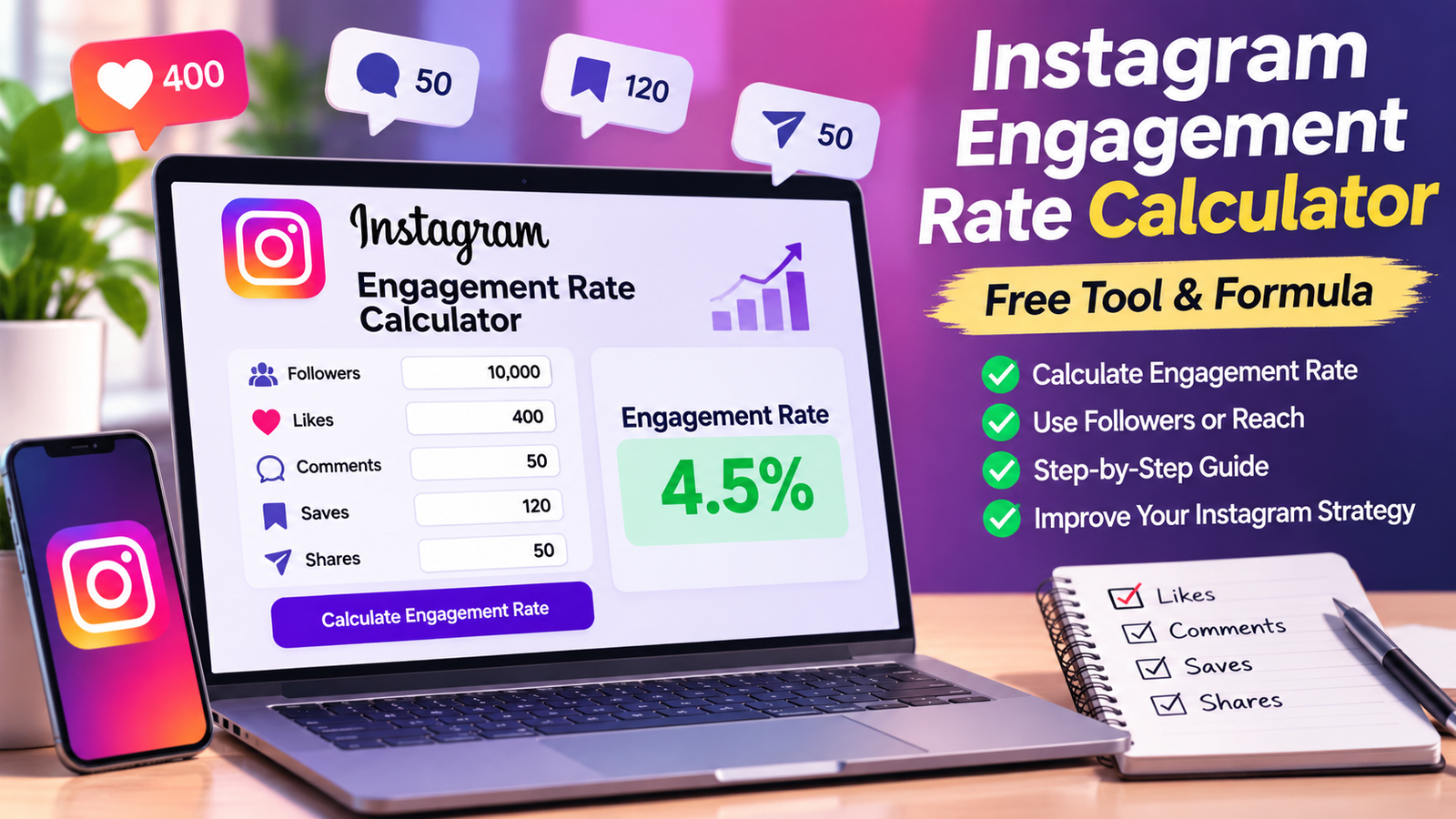
Instagram Engagement Rate Calculator: Free Tool & Formula
Instagram engagement rate is one of the most useful metrics for understanding how people interact with your content. Whether you are a content creator, influencer, social media manager, business owner, or digital marketer, measuring engagement can help you understand what your audience enjoys and where your content strategy needs improvement.
Our Instagram engagement rate calculator helps you calculate the percentage of your audience that interacts with your Instagram posts. You can use likes, comments, saves, and shares to measure engagement relative to your follower count or reach.
Instead of calculating everything manually, you can enter your Instagram metrics into a calculator and get a result within seconds.
In this guide, you will learn how to calculate Instagram engagement rate, understand the different formulas, interpret your results, and use engagement data to improve your Instagram strategy.
What Is an Instagram Engagement Rate?
Instagram engagement rate is a percentage used to measure interactions with your content relative to a selected audience metric, such as followers or reach.
These interactions can include likes, comments, saves, and shares. The exact calculation depends on the method you choose and which metrics are available to you.
For example, imagine that your Instagram account has 10,000 followers and one post receives 400 likes and 50 comments. If you use only likes and comments, your follower-based engagement rate is:
Engagement rate = (Likes + Comments) ÷ Followers × 100
Engagement rate = (400 + 50) ÷ 10,000 × 100 = 4.5%
This means the post received interactions equivalent to 4.5% of your follower count.
It does not necessarily mean that 4.5% of your unique followers interacted with the post because the calculation measures interactions relative to followers, not the number of unique people who engaged.
Understanding this difference is important when comparing Instagram performance.
Instagram Engagement Rate Calculator: How to Use It
An Instagram engagement rate calculator makes it easier to evaluate your content without repeatedly performing calculations by hand.
Follow these steps to calculate your engagement rate.
Step 1: Enter Your Follower Count
Start by entering the number of followers on your Instagram account if you are using the follower-based method.
For example, your account might have 5,000, 10,000, or 50,000 followers.
Use a follower count that matches the period you are evaluating as closely as possible.
Step 2: Enter Your Average Likes
Likes provide one indication of how people respond to your content.
If you are measuring an individual post, enter its actual number of likes. If you want to evaluate your account over time, calculate the average likes across a consistent group of recent posts.
For example, if five posts receive 200, 250, 300, 350, and 400 likes, the average is 300 likes per post.
Step 3: Add Comments
Comments can indicate that a post encouraged people to share an opinion, ask a question, or join a discussion.
Enter the number of comments received by the post you are evaluating. For account-level comparisons, use a consistent averaging method.
Step 4: Include Saves and Shares
Saves and shares can provide additional information about how people use your content.
A save might indicate that someone wants to revisit a tutorial, recipe, checklist, or educational post. A share might indicate that someone found the content useful or relevant to another person.
If your chosen formula includes saves and shares, enter those figures too. Do not add metrics that your chosen formula does not support.
Step 5: Choose Your Calculation Method
You can calculate Instagram engagement using followers or reach.
The follower-based method is useful for comparing public-facing account performance. The reach-based method is useful for evaluating how content performed among the accounts that actually saw it.
Step 6: Review Your Result
Your calculator returns an engagement rate as a percentage.
Record the result alongside your content format, publication date, and other available metrics. Repeating the calculation consistently can help you identify trends rather than relying on a single post.
Instagram Engagement Rate Formula
There is no single universally standardized engagement rate formula for every Instagram use case. Different analytics tools may count different interactions or use different denominators.
The most important thing is to select a formula that suits your goal and use it consistently.
1. Engagement Rate by Followers
A common follower-based formula is:
Engagement Rate = (Likes + Comments) ÷ Followers × 100
An extended version can include saves and shares:
Extended Engagement Rate = (Likes + Comments + Saves + Shares) ÷ Followers × 100
For example, suppose an account has the following metrics:
Followers: 20,000
Likes: 600
Comments: 80
Saves: 120
Shares: 50
First, calculate the total interactions:
600 + 80 + 120 + 50 = 850
Next, divide total interactions by followers:
850 ÷ 20,000 = 0.0425
Multiply by 100:
0.0425 × 100 = 4.25%
The extended follower-based engagement rate is 4.25%.
This method is convenient when comparing creators because follower counts and some public engagement metrics may be visible without access to private account analytics.
However, it does not tell you exactly what percentage of your followers saw or interacted with the post.
2. Engagement Rate by Reach
Reach-based engagement rate measures interactions relative to the number of accounts reached.
The formula is:
Engagement Rate by Reach = Total Interactions ÷ Reach × 100
Suppose your post receives:
Likes: 450
Comments: 35
Saves: 60
Shares: 25
Accounts reached: 7,000
Your total interactions are:
450 + 35 + 60 + 25 = 570
Now calculate:
570 ÷ 7,000 × 100 = 8.14%
Your reach-based engagement rate is 8.14%.
This calculation helps you understand how much interaction a post generated relative to its reach.
You generally need access to Instagram Insights or another authorized analytics source to obtain reach and other private account metrics.
3. Engagement Rate by Views
Views-based engagement can be useful when analyzing Reels and other video content.
A simple formula is:
Views-Based Engagement Rate = Total Interactions ÷ Views × 100
For example, suppose a Reel receives 800 interactions and 20,000 views.
800 ÷ 20,000 × 100 = 4%
The views-based engagement rate is 4%.
Views and reach are different metrics. Views may include repeat viewing, while reach measures unique accounts. Therefore, a views-based rate should not be treated as identical to a reach-based rate.
4. Average Engagement Rate Across Multiple Posts
If you want to understand overall performance, evaluating several posts can provide a more useful picture than examining one post alone.
One approach is to calculate the engagement rate for each post and then take the arithmetic average.
Suppose your last three posts have engagement rates of 2%, 3%, and 4%.
Average engagement rate = (2% + 3% + 4%) ÷ 3
Average engagement rate = 3%
You can also calculate a combined rate by adding the interactions across all posts and dividing by the corresponding combined denominators.
These approaches can produce different results. Choose the one that best matches your reporting goal and label it clearly.
For account-level analysis, using a consistent set of recent posts helps reduce the influence of an unusually successful or unsuccessful post.
What Is a Good Instagram Engagement Rate?
A common question among creators is whether their Instagram engagement rate is good, average, or low.
The answer depends on several factors, including account size, industry, content format, audience characteristics, and calculation method.
A rate of 2% calculated using followers cannot automatically be compared with a rate of 2% calculated using reach.
Published industry reports also use different datasets and methodologies. For example, Sprout Social’s 2026 guide discusses engagement benchmarks and notes that performance varies across industries and content types.
Instead of relying on one universal target, consider the following practical approach.
Below Your Usual Performance
If your engagement rate is consistently lower than your historical average, review your recent posts.
Look for changes in content quality, topic relevance, publication frequency, or audience response.
A low result does not automatically mean that your account is performing poorly. It may reflect the format, subject, audience, or calculation method.
Close to Your Historical Average
A stable engagement rate can be useful when your primary goal is consistent audience interaction.
Compare similar posts over time. For example, compare educational carousels with other educational carousels rather than comparing every format as though it served the same purpose.
Above Your Historical Average
A higher-than-usual engagement rate can indicate that a post resonated with your audience.
Review the post’s topic, opening hook, format, caption, and usefulness. These details may help you identify ideas worth testing again.
Do not assume that one successful post establishes a permanent benchmark. Repeat the analysis across several posts before changing your strategy.
Instagram Engagement Rate by Account Size
Follower count can influence how engagement rates should be interpreted.
Smaller creators may have highly focused audiences, while larger accounts can reach a broader and more diverse group of people. Their engagement patterns may therefore differ.
Rather than assigning a guaranteed engagement percentage to each account size, use comparable accounts and historical data.
Small Instagram Accounts
Smaller accounts can focus on building genuine relationships with their audience.
Replying to relevant comments, publishing helpful content, and understanding follower questions can provide useful feedback about what works.
Growing Instagram Accounts
As your audience grows, compare engagement rates across similar periods and content formats.
Look at whether engagement is increasing or decreasing alongside reach, follower growth, saves, and shares.
A lower percentage does not necessarily mean that the account is receiving fewer interactions in absolute terms.
Large Instagram Accounts
Large accounts may have varied audience interests and content distribution patterns.
For these accounts, engagement rate should be considered alongside reach, total interactions, audience relevance, and campaign objectives.
Brands evaluating influencers should also review audience authenticity, content quality, and the suitability of the creator’s audience for the campaign.
Why Is Instagram Engagement Rate Important?
Engagement rate can help creators and businesses understand how their content performs beyond follower count.
1. Measure Content Performance
Follower count tells you the size of your audience, but it does not reveal how people respond to every post.
Engagement metrics provide additional information about audience interaction.
2. Identify Content That Resonates
Compare the performance of different subjects, formats, and content styles.
For example, you might discover that practical tutorials generate more saves while personal stories generate more comments.
Use those findings to inform future content rather than assuming every post should achieve the same result.
3. Evaluate Influencer Partnerships
Brands can use engagement metrics as one part of an influencer evaluation.
However, engagement rate alone cannot verify audience authenticity or predict campaign sales. It should be reviewed alongside audience relevance, reach, content quality, and campaign objectives.
4. Track Progress Over Time
Consistent measurement helps you see whether your content strategy is improving.
Record your engagement rate over several weeks or months. Use the same formula, compare similar posts, and document major changes in your publishing strategy.
5. Support Better Content Decisions
Engagement data can help you decide which topics deserve further testing.
For example, if educational posts consistently generate saves and shares, you could test a series of related tutorials.
Treat the result as evidence for experimentation rather than a guarantee that the same format will always perform well.
How to Improve Your Instagram Engagement Rate
Calculating engagement is only the first step. The next step is to understand what your audience finds valuable.
Create Useful, Audience-Focused Content
Start with the questions, problems, and interests of your intended audience.
Educational guides, practical tips, original demonstrations, and relevant examples can give people a reason to interact with your posts.
Focus on helping your audience instead of creating content solely to encourage engagement.
Write Clear Captions
A good caption explains the point of the post and gives readers useful context.
Keep the writing easy to understand. When appropriate, ask a genuine question that encourages relevant discussion.
Avoid repetitive prompts that add no value to the content.
Experiment With Different Formats
Instagram offers different content formats, including Reels, carousels, photographs, and Stories.
Each format can serve a different purpose. Reels may help you present a short demonstration, while carousels can organize a detailed tutorial into manageable steps.
Test formats that suit your audience and compare similar content over time.
Use Relevant Hashtags
Relevant hashtags can help describe your content and its subject.
Choose hashtags that accurately represent the post. Avoid irrelevant tags or excessive repetition in an attempt to manipulate distribution.
Hashtags are only one part of a broader content strategy.
Respond to Genuine Comments
Thoughtful replies can help maintain conversations with your audience.
Answer relevant questions, clarify information, and engage respectfully with feedback.
Avoid automated spam comments or artificial engagement schemes.
Publish Consistently
Choose a publishing schedule that you can maintain without sacrificing content quality.
Consistency makes it easier to collect comparable performance data and understand what resonates with your audience.
Posting more frequently is not automatically better if the additional content is less useful.
Review Instagram Insights
Instagram Insights can help eligible professional accounts evaluate content performance.
Review available metrics such as reach, views, likes, comments, saves, and shares. Select the metrics that match the goal of each post.
Use the same measurement method when comparing results across different periods.
Avoid Fake Engagement
Buying likes, followers, or artificial comments can make your numbers less meaningful.
Artificial engagement also creates risks for your account and undermines the reliability of performance reports.
Build your audience through relevant content, genuine interactions, and consistent experimentation.
Common Instagram Engagement Rate Calculation Mistakes
Even a simple calculator can produce misleading conclusions when the input data or formula is inconsistent.
Using Different Formulas for Comparisons
A follower-based rate and a reach-based rate measure different things.
Always identify the formula used when sharing results with a team, client, or brand partner.
Comparing Different Time Periods Without Context
A single post published yesterday may not have had the same opportunity to receive interactions as a post published several weeks ago.
Allow sufficient time for results to develop, and compare posts using a consistent observation window.
Counting the Same Metrics Inconsistently
One calculation might include only likes and comments, while another includes saves and shares.
Both can be useful, but they should not be compared as though they measure precisely the same set of interactions.
Focusing Only on Likes
Likes are easy to observe, but they do not tell the entire story.
Depending on your goals, comments, saves, shares, reach, views, and other available metrics may provide additional context.
Treating Engagement Rate as a Sales Metric
A high engagement rate does not automatically translate into more sales, website visits, or revenue.
If your goal is conversions, measure relevant actions such as link clicks, qualified leads, purchases, or other outcomes alongside engagement.
Instagram Engagement Rate Calculator vs. Manual Calculation
Both approaches can help you evaluate performance.
A manual calculation is useful when you have only a few numbers to evaluate. It also helps you understand the mathematics behind the metric.
An online Instagram engagement rate calculator is more convenient when you want quick results or need to repeat calculations frequently.
The best method depends on your workflow. For regular reporting, keep a record of your inputs, formula, and results so that your comparisons remain consistent.
A calculator also has limitations. It cannot independently verify your Instagram statistics unless it connects to an authorized data source. When you enter numbers manually, the result depends on the accuracy of those numbers.
Frequently Asked Questions
How do I calculate my Instagram engagement rate?
Add the interactions included in your chosen formula, divide by the relevant denominator, and multiply by 100.
For example, a follower-based calculation may use likes and comments divided by followers. An extended version may include saves and shares.
Is there a free Instagram engagement rate calculator?
Yes. A free calculator can calculate an engagement rate from numbers you enter manually. Check whether the tool uses followers, reach, views, or another denominator before interpreting its result.
What is a good engagement rate on Instagram?
There is no single target that applies to every account and calculation method. Compare your results with relevant industry benchmarks and your own historical performance using the same formula.
Can I calculate engagement rate without a business account?
You can calculate a follower-based estimate using the public metrics available to you. However, reach, saves, shares, and other detailed metrics may require access to Instagram Insights or another authorized analytics source.
Should I include saves and shares?
You can include saves and shares when using an extended interaction-based formula, provided you have reliable data. Clearly label the formula because some calculators use only likes and comments.
How often should I check engagement rate?
For most creators, reviewing performance regularly is more useful than reacting to every individual post. A weekly or monthly review can help you identify patterns, provided you compare similar periods and use a consistent method.
Does a higher engagement rate always mean better content?
Not necessarily. Engagement rate is only one performance metric. Your objectives, audience relevance, reach, content quality, and business outcomes also matter.
Can an Instagram engagement rate calculator access private account data?
A calculator that accepts manual inputs does not automatically access your account. Only provide account permissions to tools you trust, and check what data they collect and how they use it.
Can engagement rate help brands select influencers?
Yes, as one part of the evaluation. Brands should also review audience relevance, authenticity, content quality, reach, and campaign results.
Why do two calculators show different results?
Calculators may use different formulas, count different interactions, or measure engagement relative to followers, reach, or views. Compare the methods before comparing the results.
Final Thoughts
An Instagram engagement rate calculator is a practical way to understand how your content performs relative to your audience.
By choosing a consistent formula, entering accurate metrics, and reviewing results over time, you can make better-informed decisions about your Instagram strategy.
Remember that engagement rate is not a complete measure of success. Use it alongside reach, audience growth, content quality, and the outcomes that matter to your goals.
Try the calculator, record your results, and use what you learn to create more relevant and useful content for your audience.
Leave a Reply